Pinned links
Note:
This functionality is available only using the modern experience.
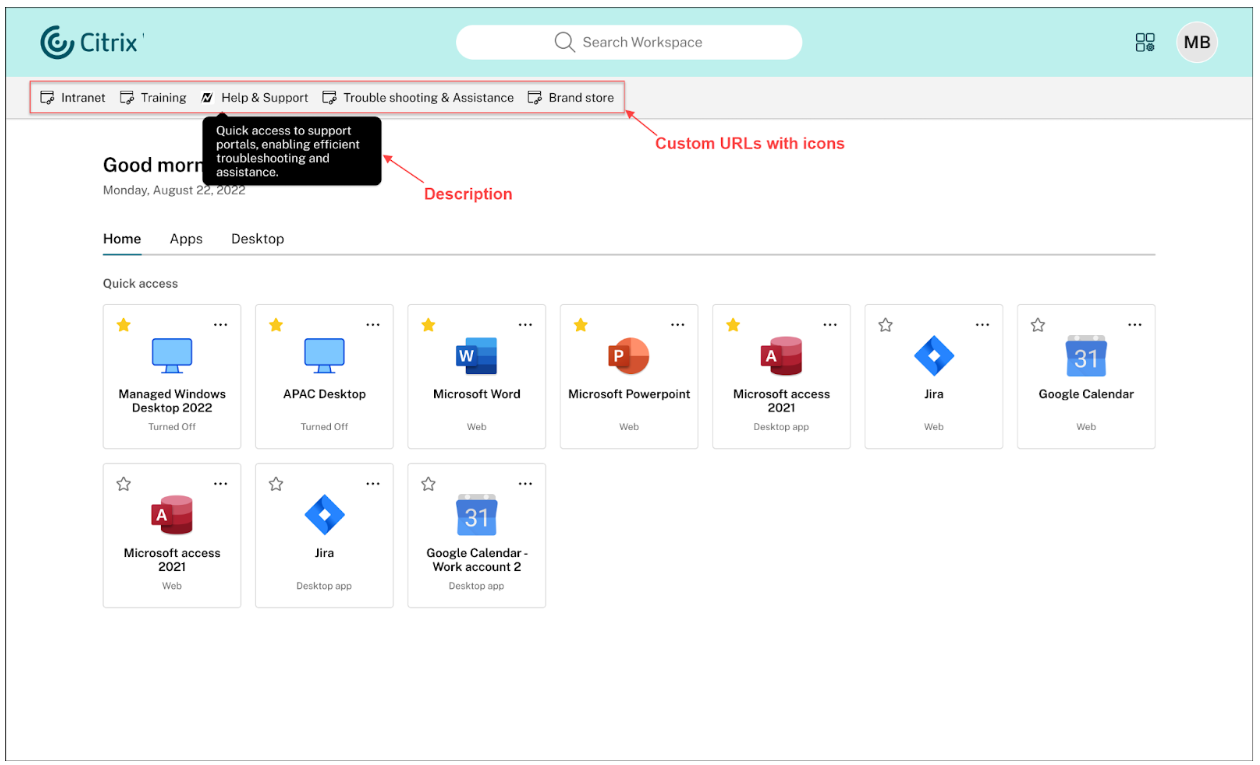
Custom URLs on StoreFront™ UI refer to customer-defined hyperlinks that provide quick access to specific websites. This feature functions as a shortcut that helps users to efficiently navigate to websites directly from the StoreFront UI. Important links, such as support websites or company portals, can be made available to the users without needing them to search for these links. It makes the navigation effortless and faster. This feature is only available on the modern experience.
Configuration
To add a pinned link:
-
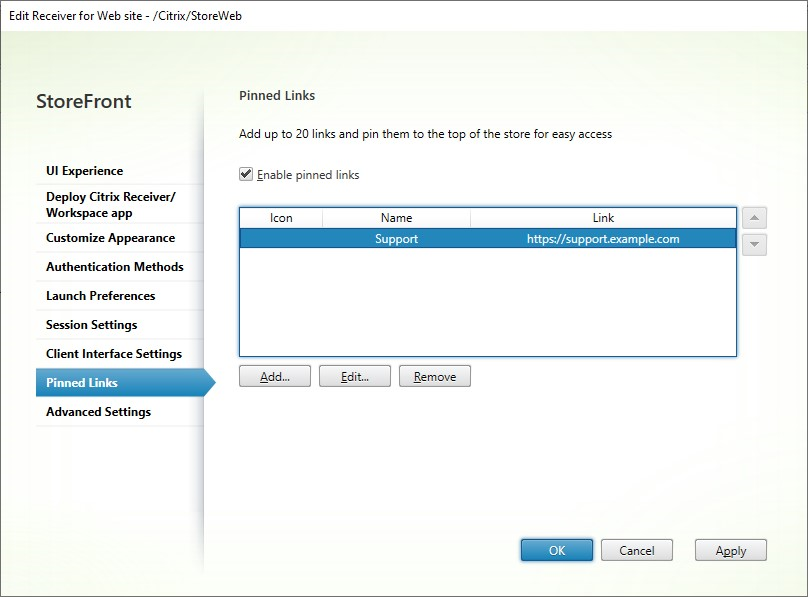
Go to Edit store website and select the Pinned Links tab.
-
Click Add.
-
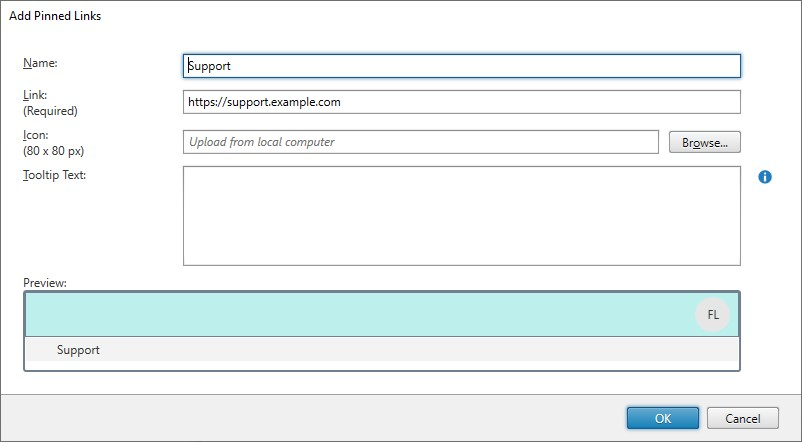
Enter the name, link, tool tip, and browse for the icon.
-
Preview the updates and click OK.These links appear on top of the store for quick access.