Changing base rights
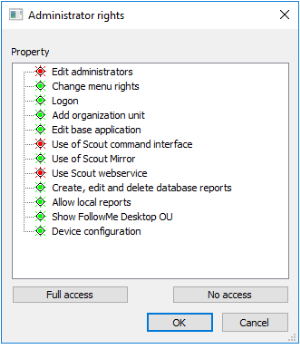
Administrator base rights refer to entire functional blocks such as using the Scout Report Generator or configuring FollowMe Desktop.
-
In the Scout Console, click Security > Managing administrators.
-
In the Administrator rights dialog, select the relevant administrator.
-
Click Base rights.The Administrator rights > Base rights dialog opens.
-
Change the relevant rights by double-clicking or by pressing the space bar.
-
Confirm with OK.