
Access to applied images
-
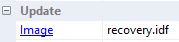
In the Properties window of a device, double-click the image link.
-
In the device configuration of an OU or device, in the Firmware dialog, click the ELIAS button.
Specifying ELIAS settings
-
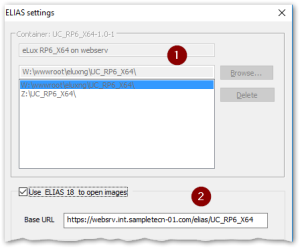
1 Legacy ELIAS 2 ELIAS 18 -
If you use the legacy ELIAS, in the top section, click Browse. From your web server, for the required container, select the
container.inifile.Optionally specify multiple containers. -
Enter your ELIAS 18 URL including the container path. (ELIAS 18 is designed to manage multiple versions in one container.)
-
Confirm with OK.
Note:
The menu entry View > ELIAS offers another way to call ELIAS from the console.