
Reserved CIDR addresses for the TCP and UDP servers
Admins can configure reserved CIDR IP addresses for the TCP/UDP servers. These IP addresses are shared in the DNS response instead of the actual IP address during DNS resolution.
The following are the allowed reserved CIDR IP address ranges:
-
10.0.0.0/8
-
172.16.0.0/12
-
192.168.0.0/16
Note:
Ensure that the reserved IP addresses do not conflict with the following:
-
IP address configured for TCP/UDP applications at the customer resource location.
-
Network subnet of the client machines.
Configure reserved CIDR IP addresses
-
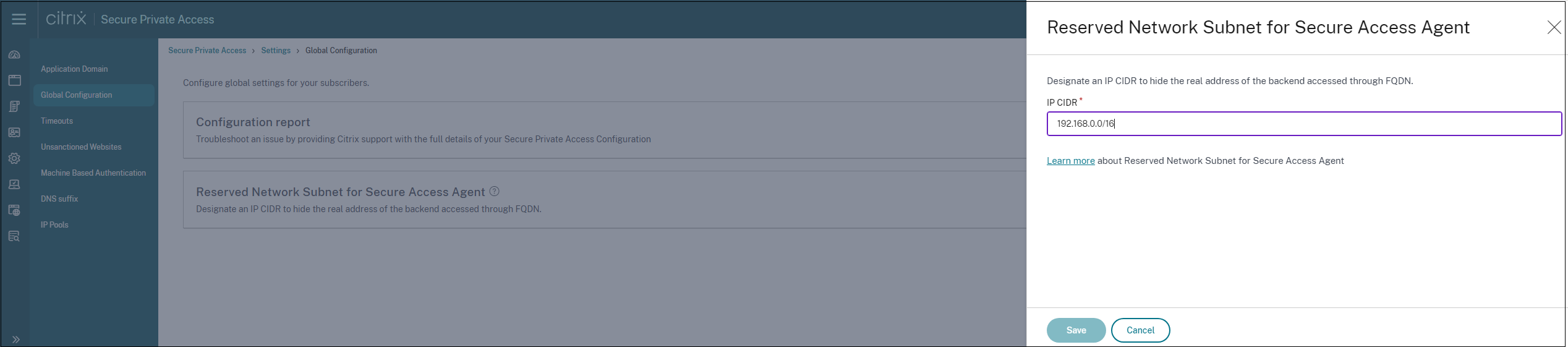
Click Settings, and then click Global Configuration.
-
In Reserved Network Subnet for Secure Access Agent, click Manage.
-
In IP CIDR, enter the private IP address range.
-
Click Save.