
Configure Workday
The following sections provide more information about configuring Workday.
Citrix Gateway SaaS Application
Users can securely log on to Workday using their enterprise credentials.
To configure Workday for SSO through SAML, perform the following:
-
Log on to Workday as an administrator.
-
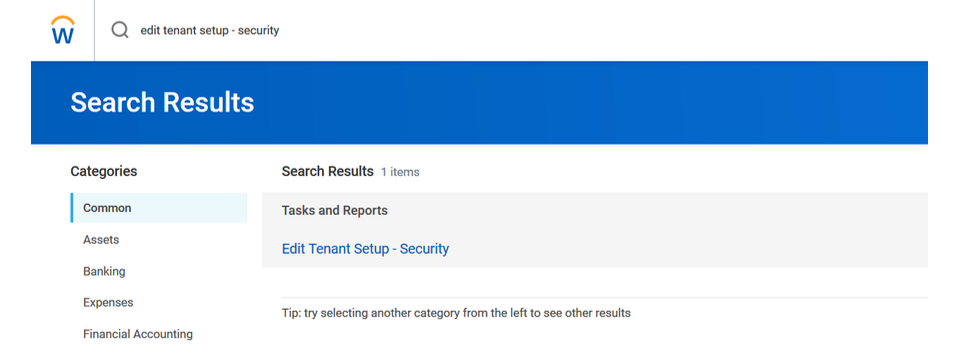
Navigate to Edit Tenant Setup - Security and then click Edit Tenant Setup.
-
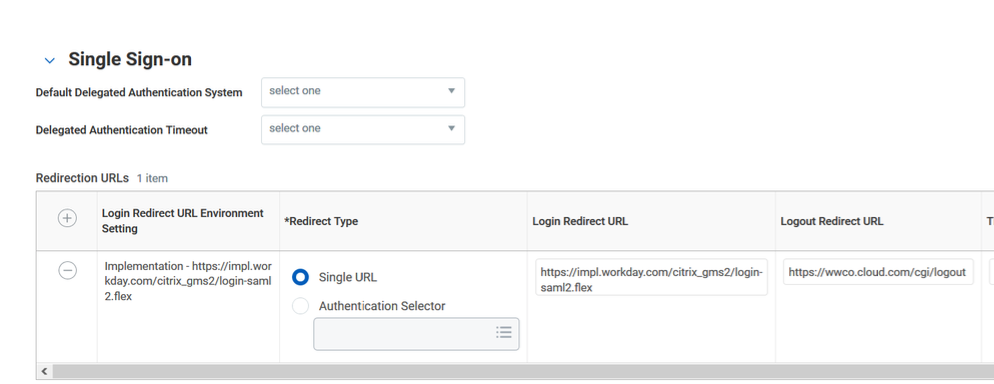
Click Single Sign-on.
-
Click the plus icon in the Redirection URLs table.
-
In Login Redirect URL, enter the URL in the format
https://impl.workday.com/<customer>/login-saml2.flex. -
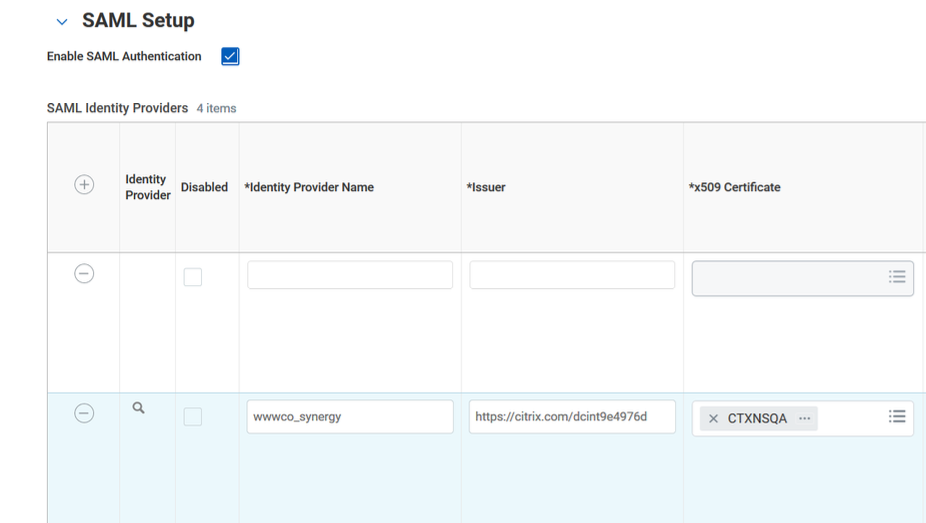
Click Enable SAML Authentication.
-
Click the plus (+) icon under SAML Identity Providers to add a row, and specify the following information:
-
Identity Provider Name - type Citrix Gateway.
-
Issuer - type a unique issuer name.
-
-
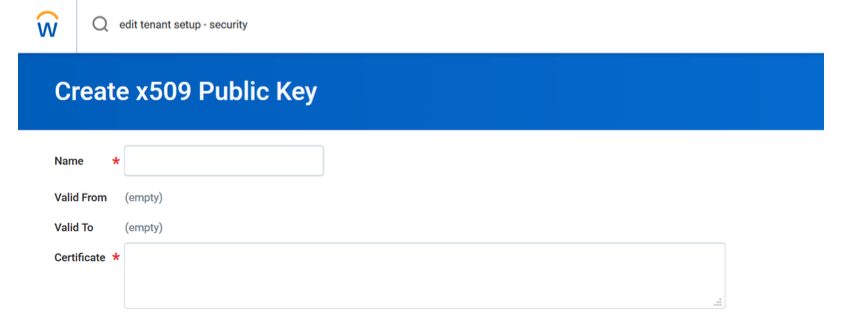
In x509 Certificate, click the X509 Certificate icon and then click Create x509 Public Key.
-
Download the certificate from the Citrix Cloud wizard (Citrix Gateway Service > Add a Web/SaaS App > Single sign on > Certificate).
-
Copy the text in the certificate from —–BEGIN CERTIFICATE—– to —–ENDCERTIFICATE and paste the certificate in the Certificate field.
-
Click OK.