
Device policies by platform
To view the policies that are available per platform:
-
In the XenMobile® console, go to Configure > Device Policies.
-
Click Add.
-
Each device platform appears in a list in the Policy Platform pane. If that pane isn't open, click Show filter.
-
To see a list of all policies available for a platform, select that platform. To see a list of the policies that are available for multiple platforms, select each of those platforms. A policy appears in the list only if it applies to each platform selected.
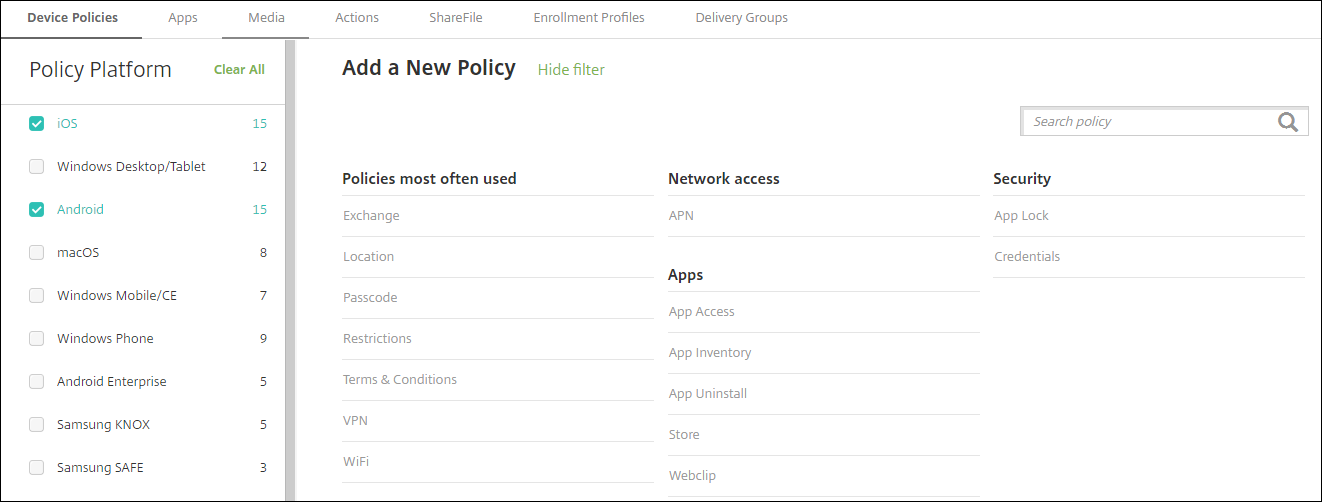
The latest version of XenMobile supports device policies for the following platforms:
-
Amazon
-
Android
-
Android Enterprise
-
Android Zebra
-
iOS
-
macOS
-
Samsung SAFE
-
Samsung Knox
-
Windows 10 and Windows 11 Desktop/Tablet
For details on supported devices in the latest version of XenMobile, see Supported device platforms.
Note:
If your environment is configured with Group Policy Objects (GPOs):
When you configure XenMobile device policies for Windows 10 and Windows 11, keep the following rules in mind. If a policy on one or more enrolled devices conflicts, the policy aligned with the GPO takes precedence.