FileVault device policy
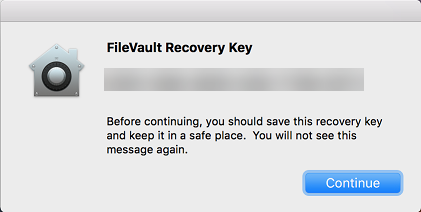
The macOS FileVault Disk Encryption feature protects the system volume by encrypting its contents. With FileVault enabled on a macOS device, a user logs in with their account password each time that the device starts. If the user loses their password, a recovery key enables them to unlock the disk and reset their password.
The XenMobile device policy, FileVault, enables FileVault user setup screens and configures settings such as recovery keys. For more information about FileVault, see the Apple support site,
<https://support.apple.com>.
To add the FileVault policy, go to Configure > Device Policies.
macOS settings
-
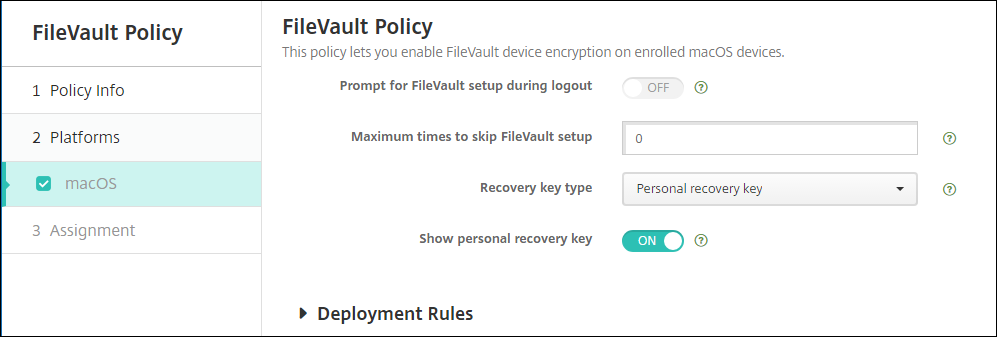
Prompt for FileVault setup during logout: If On then prompts the user to enable FileVault during the next N logouts as specified by the option Maximum times to skip FileVault setup. If Off, the FileVault password prompt doesn’t appear.
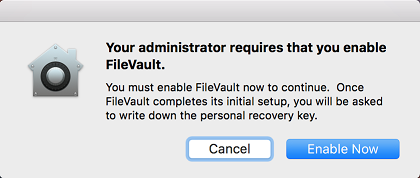
After you deploy the FileVault policy with this setting on, the following screen appears when a user signs off the device. The screen gives the user the option to enable FileVault before signing off.
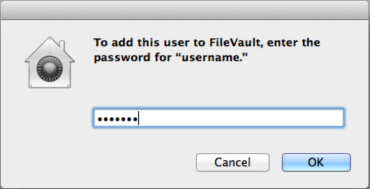
If the Maximum times to skip FileVault setup value isn’t 0: After you deploy the FileVault policy with this setting off and then the user signs on, the following screen appears.
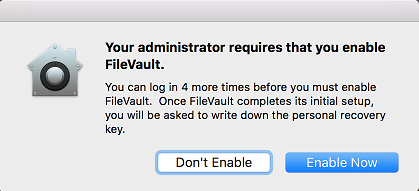
If the Maximum times to skip FileVault setup value is 0 or the user has skipped setup the maximum number of times, the following screen appears.