
Adding devices
-- applies to device lists in the OU structure --
Within an OU, you may add individual devices manually to the device list.
-
Display the OU structure, see Display devices.
-
Click to select an OU.
-
Above the device list, click Add Device.
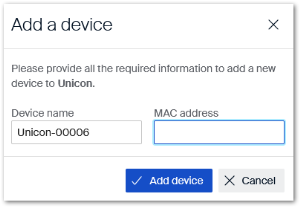 For the device name of the new device, the string
DEVICE-and an appended incremented digit string are used by default. -
If desired, replace the suggested device name.
-
Specify the MAC address of the new device.ImportantUse the following format:
00:11:22:33:44:55
The new device is added to the current OU. It receives a unique Client Identifier.