
Configure a global server load balancer domain URL
To set up multi-site redundancy for Secure Private Access, you must configure a global server load balancer (GSLB) address. This address acts as a single entry point, routing users to a specific data center’s Secure Private Access gateway based on your traffic policies, such as static proximity.
When configuring GSLB for a Secure Private Access deployment, the GSLB address must be updated within the Google Secure Gateway (in Google Cloud service). If a data center-specific Secure Private Access gateway was previously used, providing the GSLB address automatically overrides the existing configuration to point to the new global address.
Configuration
When prompted, enter the global server load balancer (GSLB) domain URL details to update the Chrome Enterprise Premium (CEP) configuration with the GSLB domain. After this update, reconfigure the NetScaler Gateway in the first data center.
-
Log in to Secure Private Access admin console.
-
Go to Setup Configuration.
-
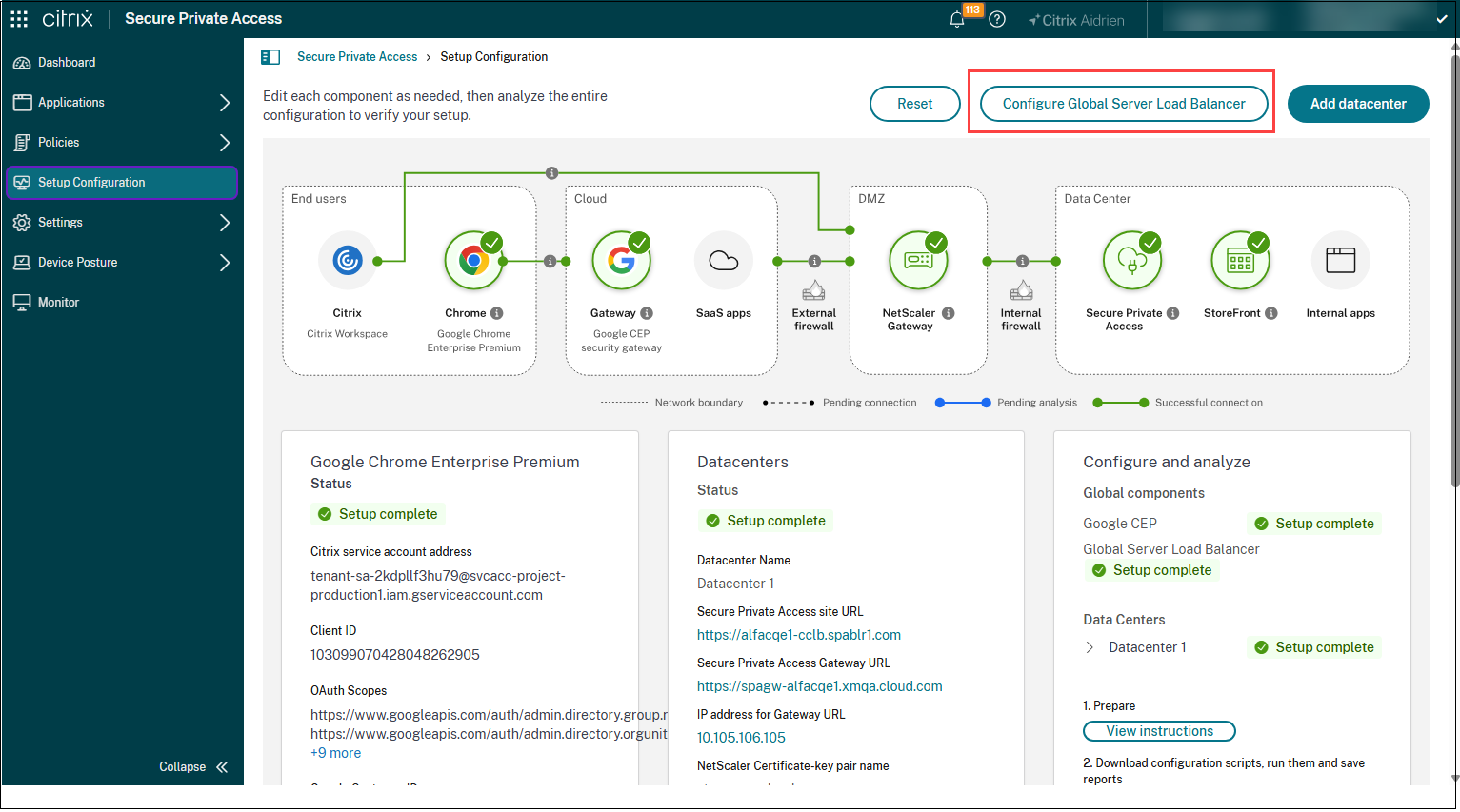
Click Global Server Load Balancer (GSLB).
-
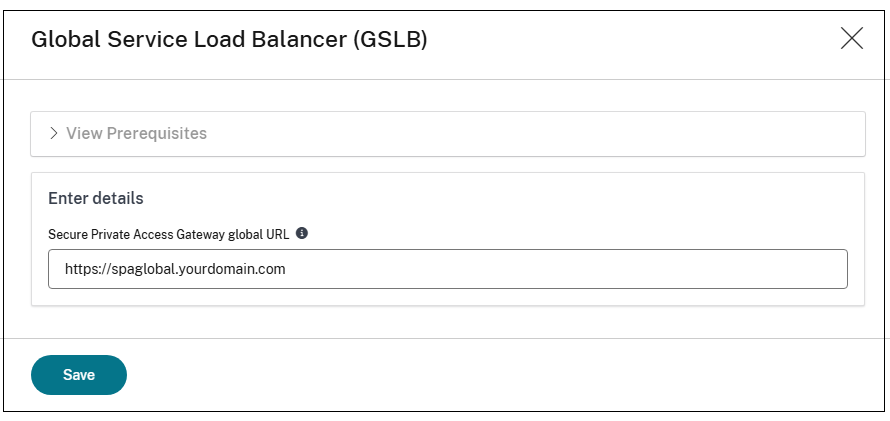
Enter the public address of the GSLB domain URL in the Secure Private Access Gateway URL field.
Note:
This updates the CEP integration and replaces the Secure Private Access Gateway URL with the GSLB domain URL that you entered.
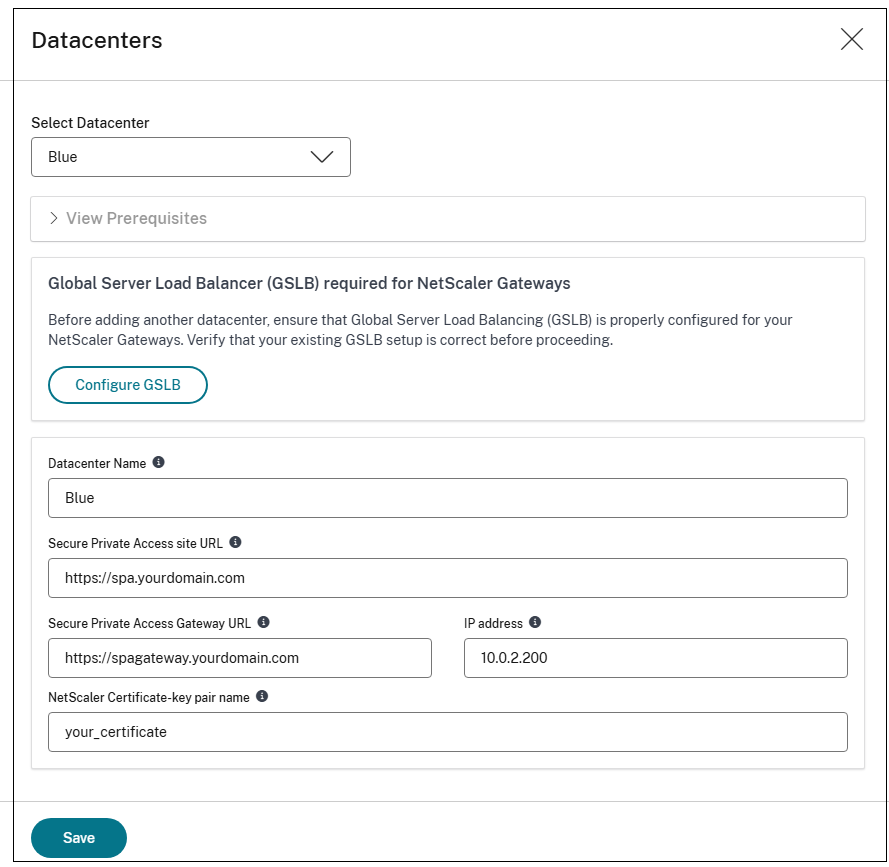
Edit data center (optional)
This step is required only if you need to change a data center.
Configure and analyze
After you complete the preceding steps, you can update the configuration for the on-premises StoreFront and NetScaler components in the first data center.
Follow Step 3: Configure and analyze to complete re-configuration of the NetScaler components of the data center and analyze the NetScaler and StoreFront configuration, if necessary.