
Get Started with Secure Private Access hybrid deployment
This topic provides step-by-step instructions for setting up the Secure Private Access hybrid environment.
Before you begin
The following sections provide details regarding the checks that you must perform before getting started with Secure Private Access hybrid deployment.
Verify your Secure Private Access entitlement
You must be entitled to the Secure Private Access service in your Citrix Cloud account.
-
Log in to the Citrix Cloud console.
-
On the dashboard, verify that the Secure Private Access service tile is visible and available.
-
If the service is not visible, you cannot proceed. Contact your Citrix representative to resolve the entitlement issue.
Verify prerequisites
Ensure that all prerequisites are met. For details, see Prerequisites.
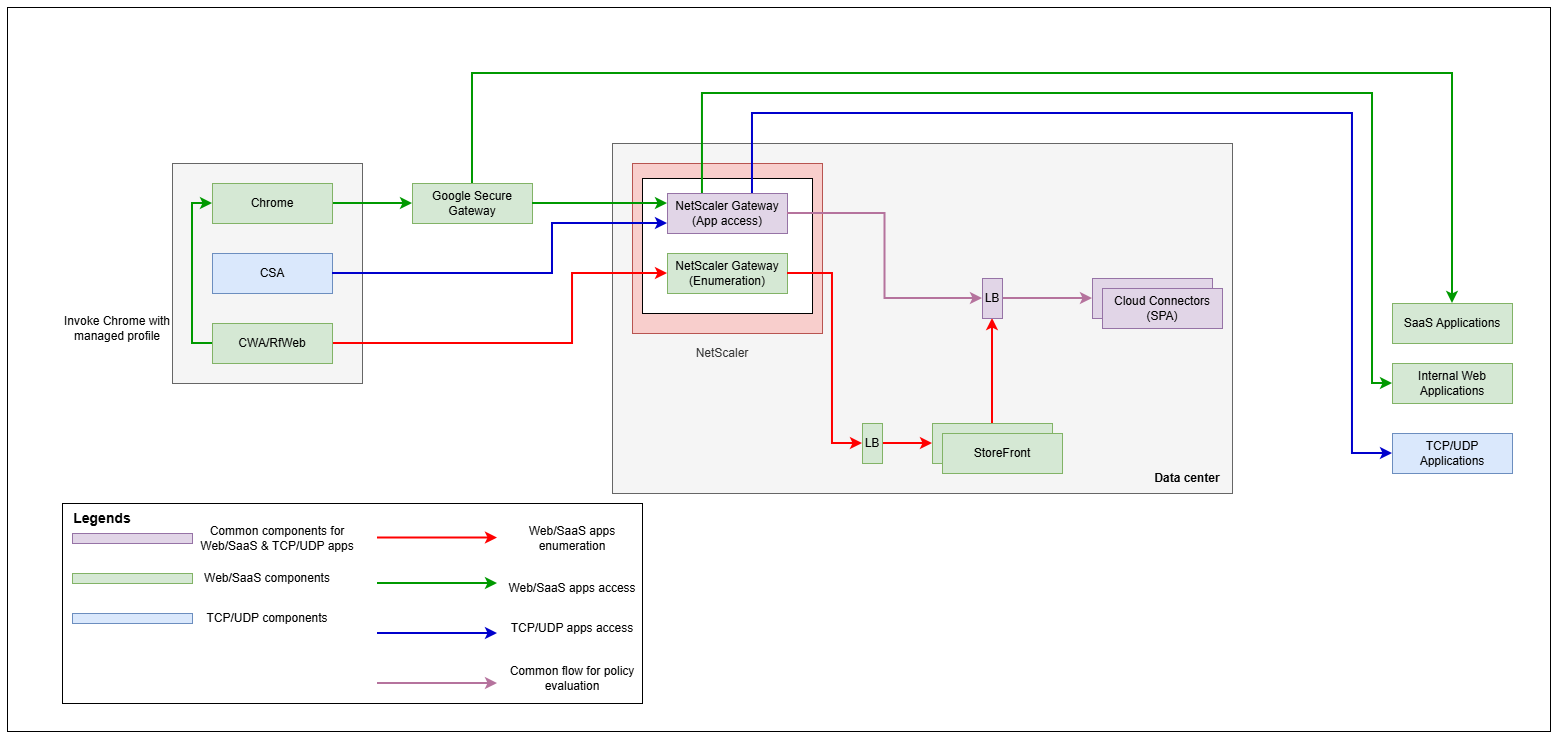
Verify that all networking prerequisites are met. Refer to the network diagram for complete details of all required ports and communication paths.
Choose the deployment mode
On the welcome screen, select Set up for hybrid to begin the configuration.