Port-based routing using Routing Exceptions - Preview
The port-based routing feature allows admins to route traffic for different ports of the same destination differently for TCP/UDP apps using routing exceptions. When onboarding applications on Secure Private Access, admins can define how the application traffic is routed using one of the following options:
- Internal via Connector: Traffic is securely tunneled via the connector.
- Internal via Netscaler Gateway: Traffic is routed via NetScaler Gateway using a hybrid data path.
- External: Traffic is routed directly without tunneling it through Secure Private Access.
To route traffic for different ports of the same destination differently, admins must use access policy routing exceptions. Each destination and port combination that requires a distinct routing decision must be configured as a separate application and bound to a separate policy. The UI enforces a uniqueness check, so different routes cannot be configured within different applications with the same destination.
Use cases of port-based routing
Scenario: An admin hosts two applications on the same server (10.102.124.135).
- SSH access on port 22
- Web access on port 80, 443
Requirement:
- Allow the developer user group to access SSH internally via a connector.
- Allow the business unit user group to access the web application directly from the corporate network.
Configuration:
-
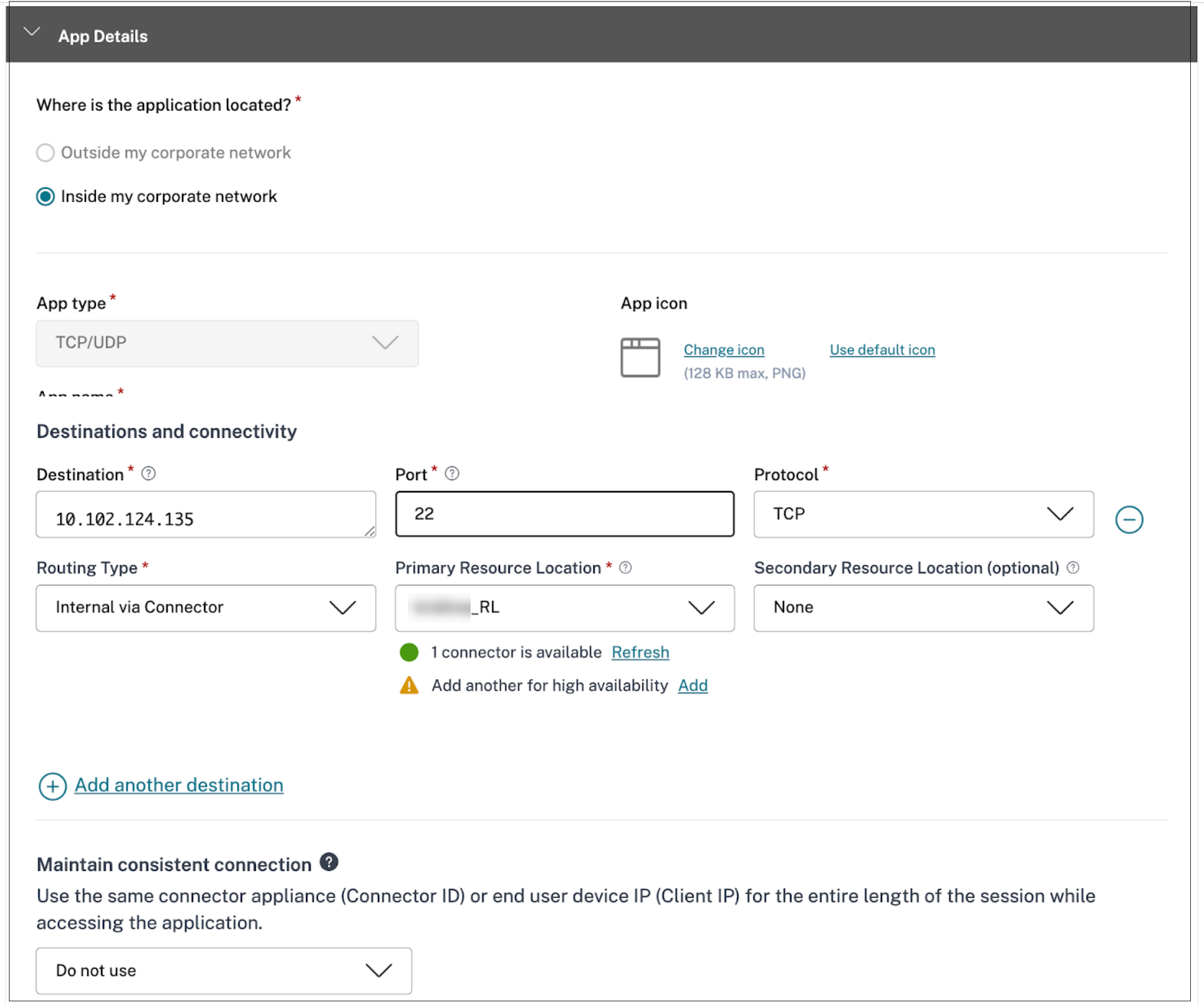
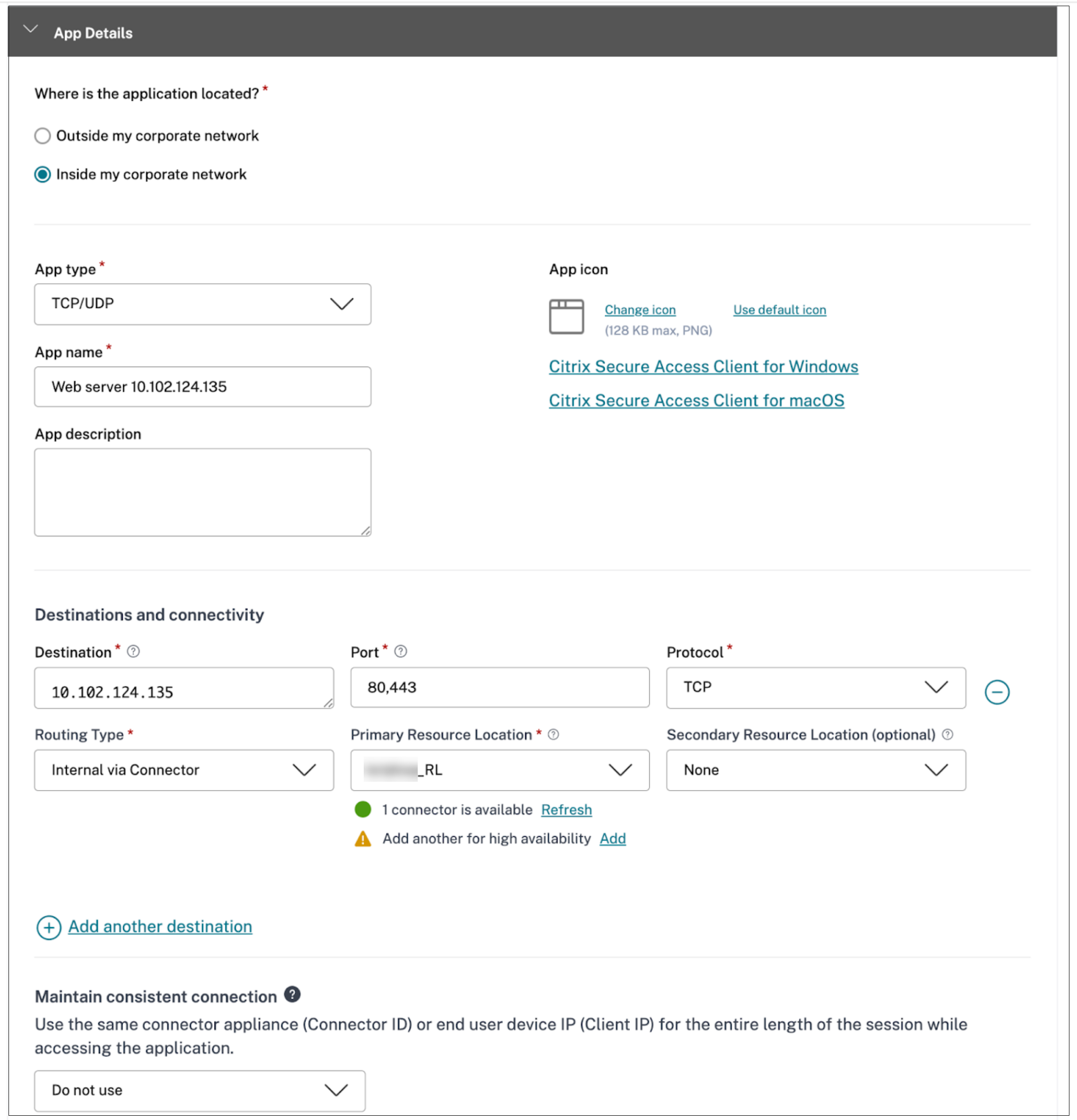
Create separate applications for each requirement. For details, see Support for TCP/UDP apps.
- Create an application for SSH access (destination:10.102.124.135, port 22)
- Create another application for Web access (destination :10.102.124.135, port 80,443)
-
Configure the other details for each application as required.
-
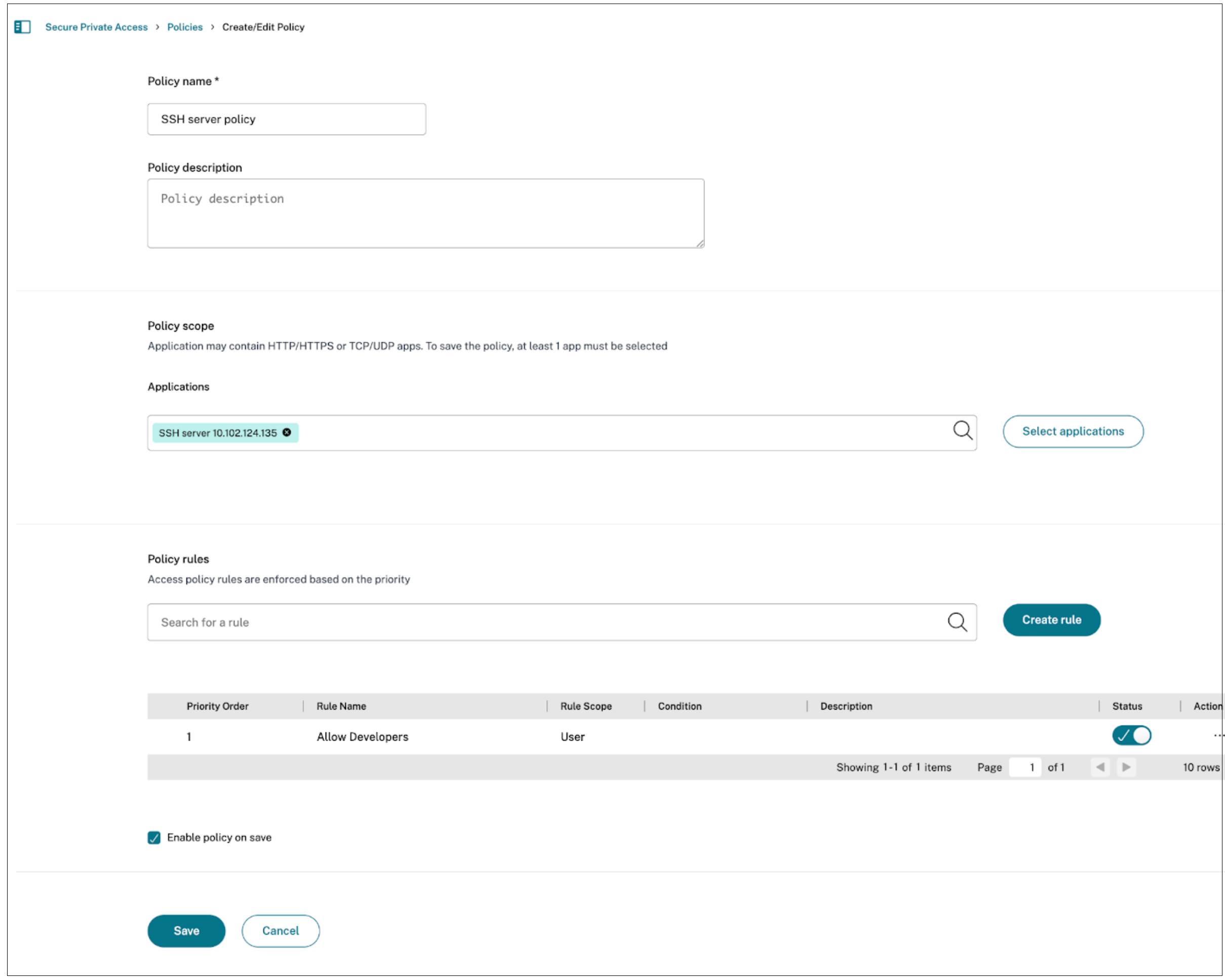
Create separate access policies.
- Define individual policies for each application.
- Use routing exceptions to specify the desired routing behavior for each configured application.
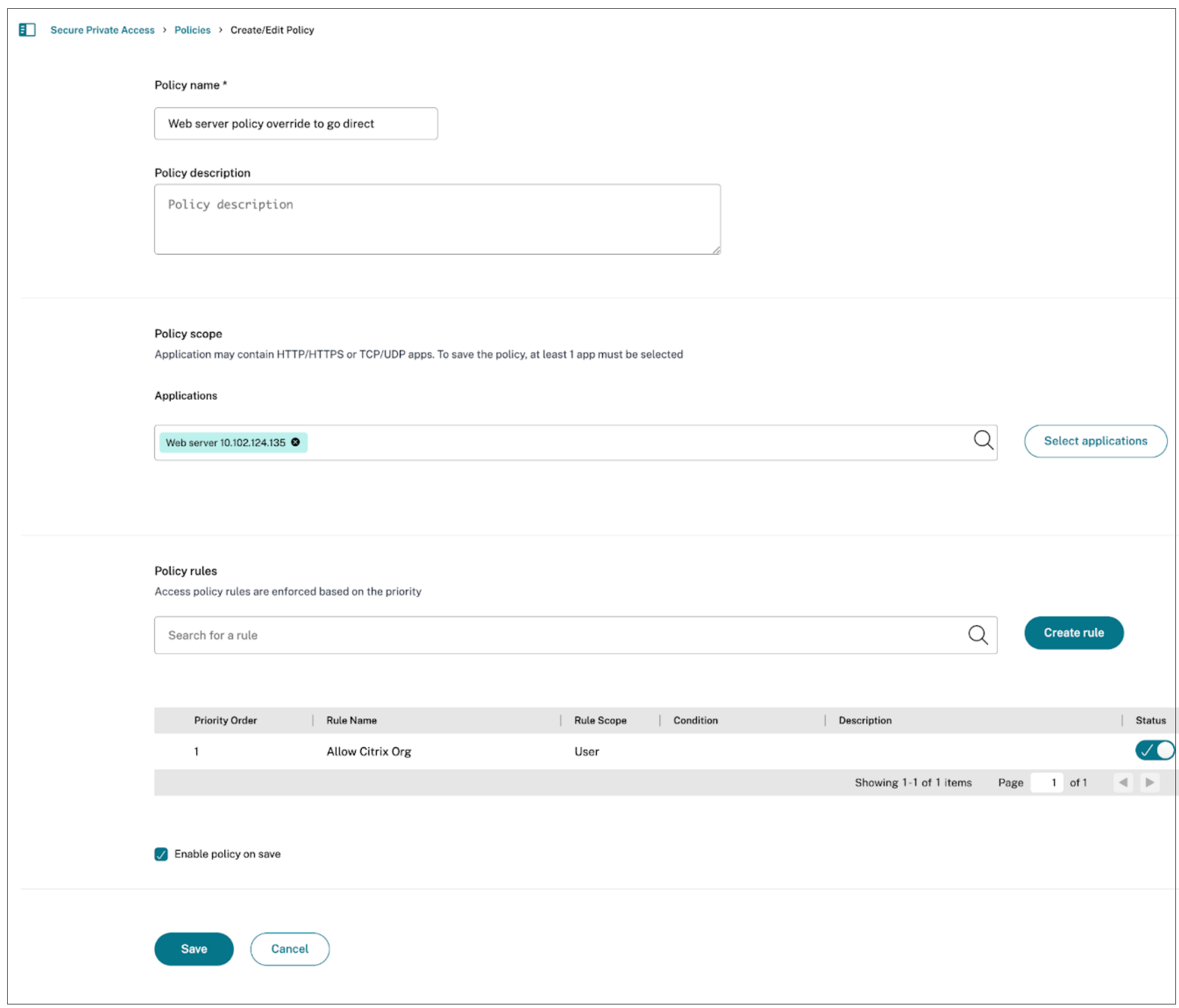
-
Bind policies to applications.
- Bind the SSH access policy to the SSH application.
- Bind the Web access policy to the web application.
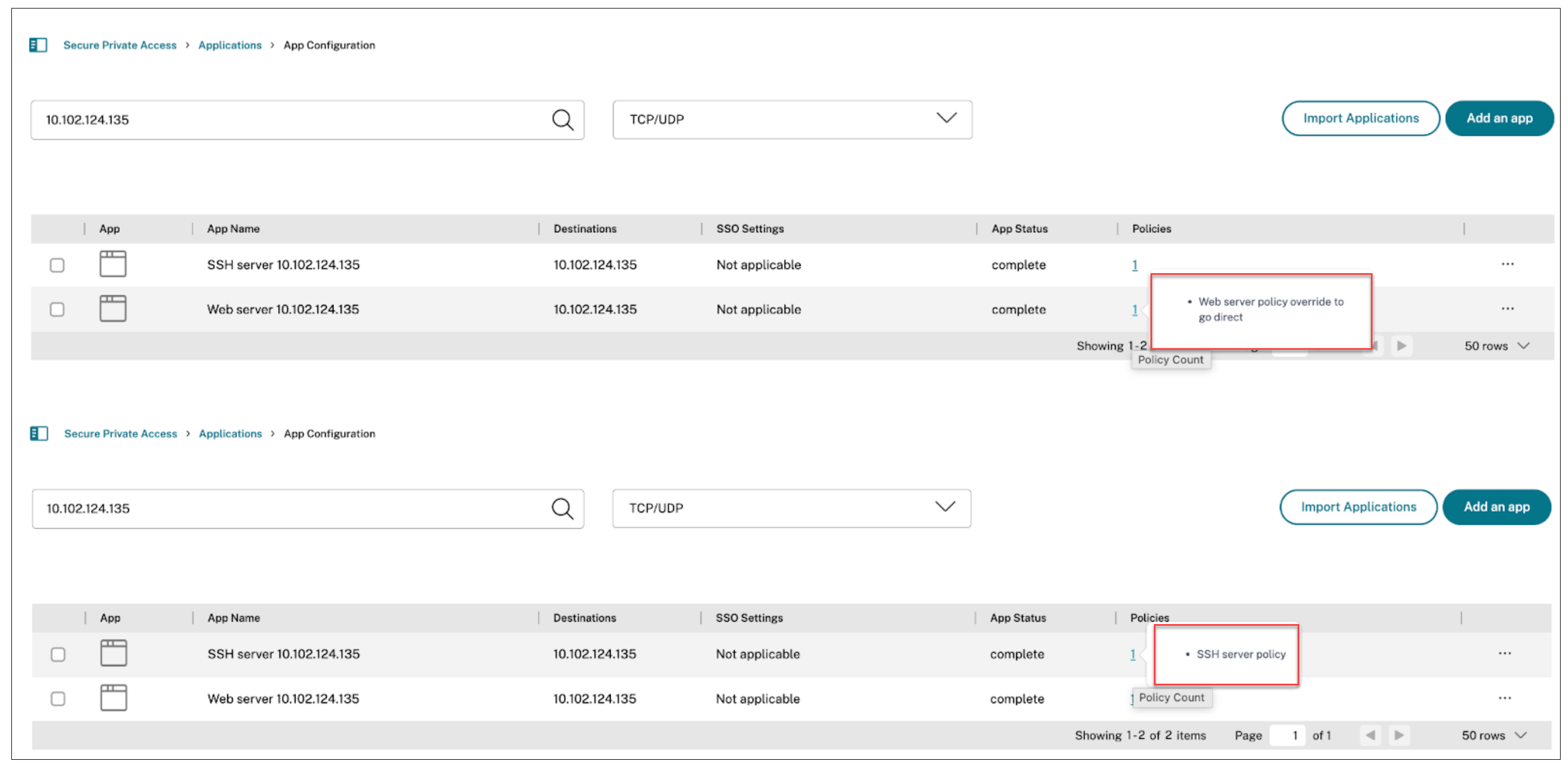
-
Use the policy modeler to review and validate the applications, policies, and routing confirmations.
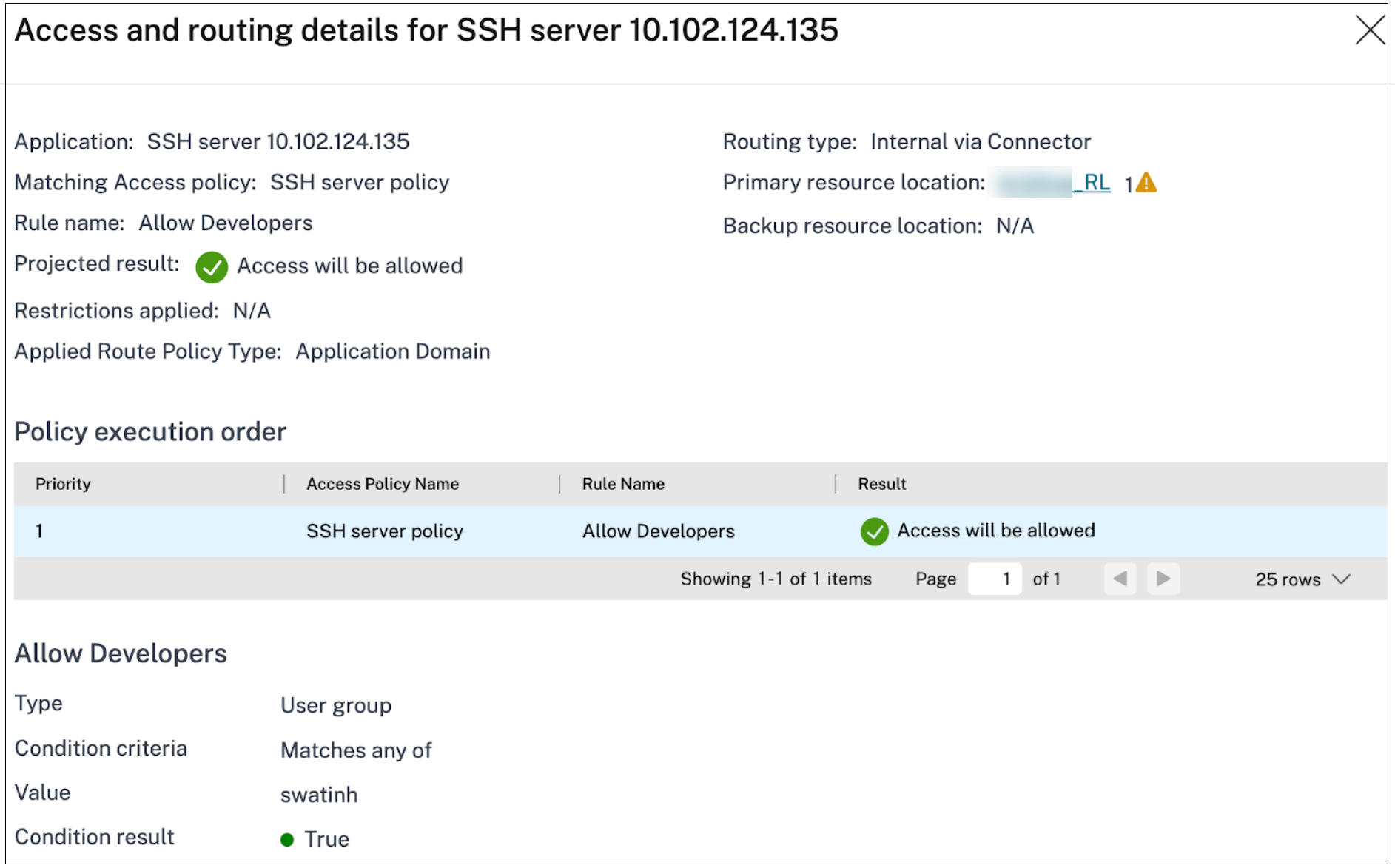
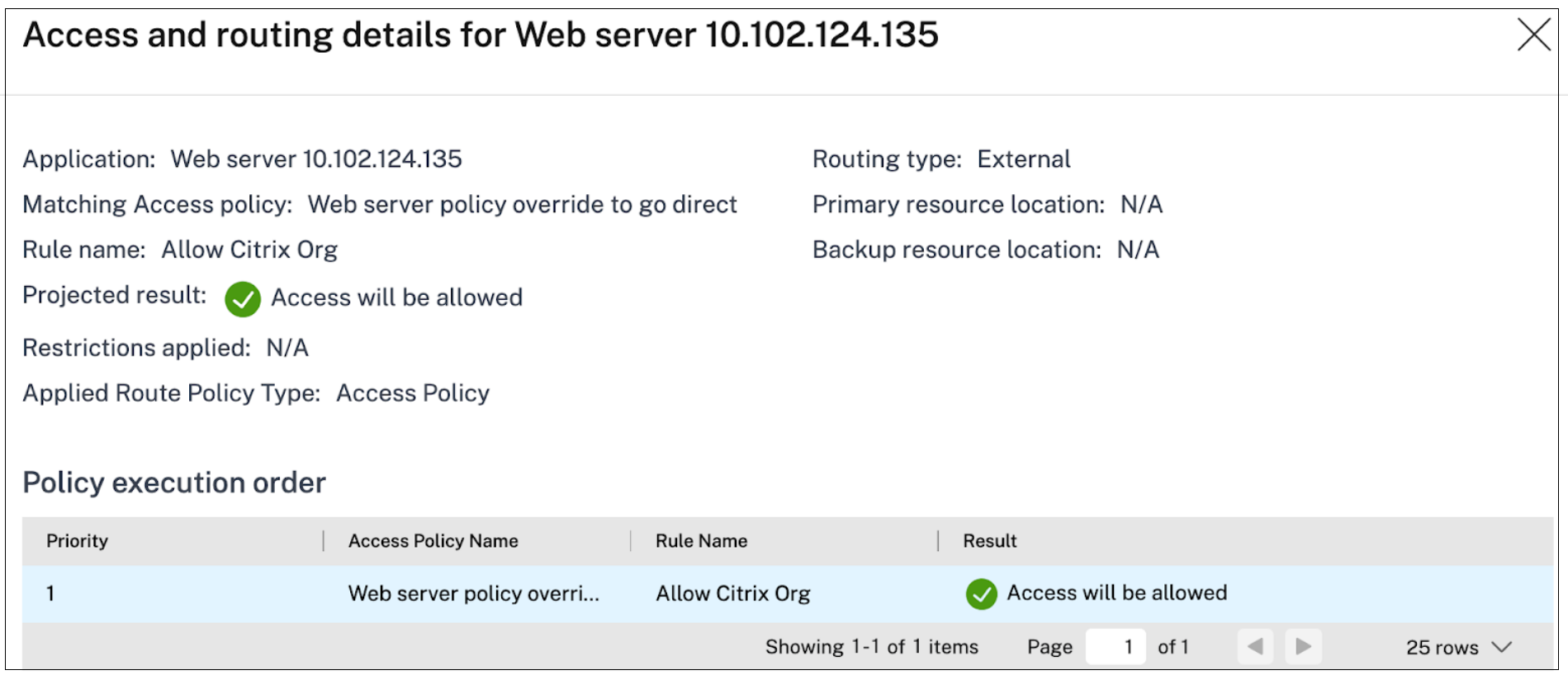
Routing options limitations:
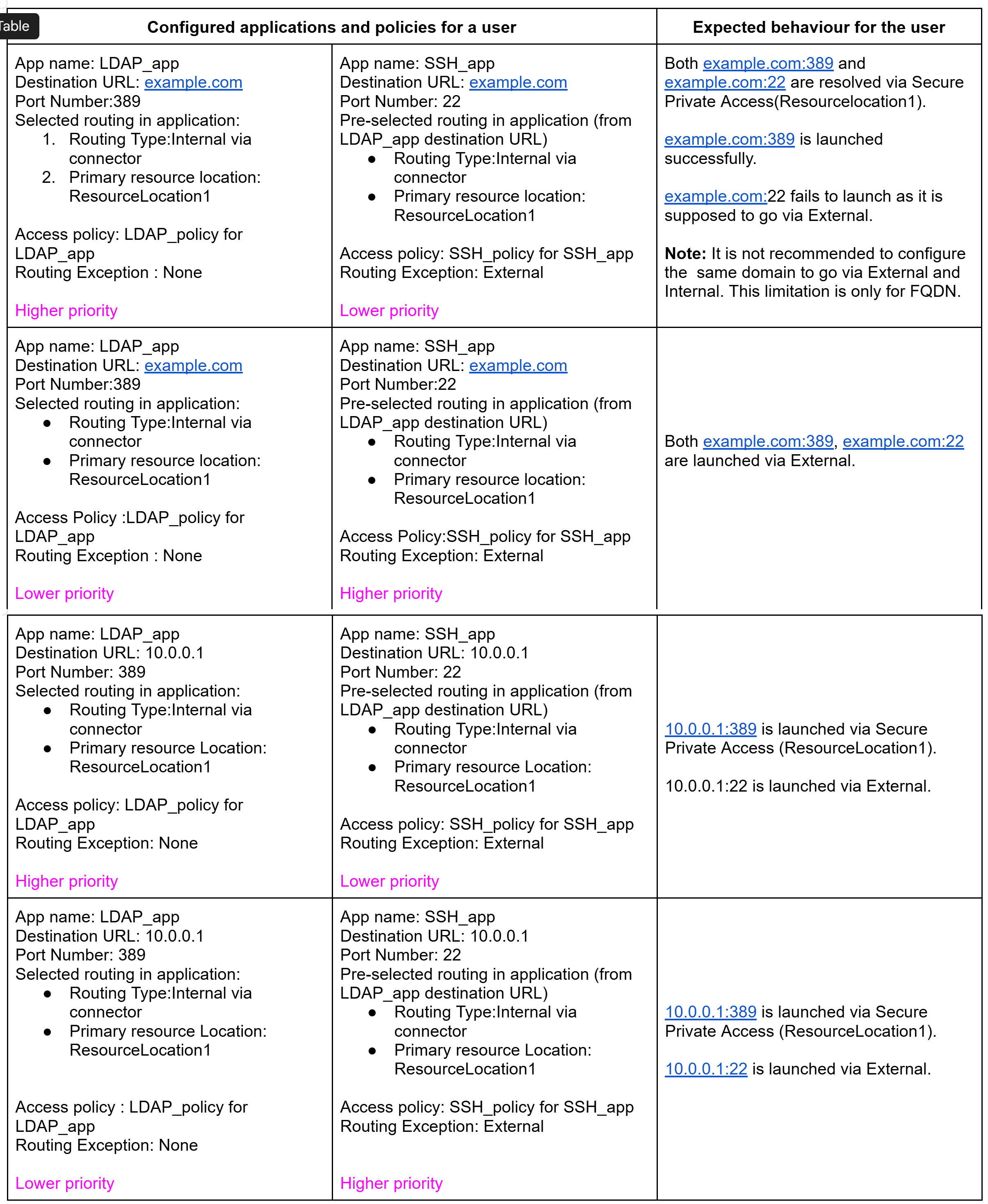
- Access policies are evaluated from top-to-bottom, so the first policy that matches the user, context, and application is applied. For hostname-based applications, the route configuration (routing type and Resource Location) defined in the applied policy is used to resolve the destination.
- If no route exceptions are defined in the access policy, then the route configuration in the application configuration is used. Route tunnel and route direct are mutually exclusive. Hence, for hostname-based destinations, we cannot have its route via tunnel (internally) and via direct (external) for different ports.
- Routing internally (via connector or NetScaler Gateway) and direct (external) are mutually exclusive. As a result, the hostname-based destinations cannot be routed both internally and externally. If the requirement is to route traffic for an application both internally and externally, it is recommended to onboard the application using an IP-based destination.
Example to demonstrate port-based routing
The following figure demonstrates how policy priority and routing exceptions affect the end-user experience: