Domain mapping for user groups without email addresses
Google directory requires a verified email address for all user and group objects. However, this isn’t always available for directories supported by Secure Private Access, specifically Active Directory (AD) and Microsoft Entra ID. AD and Microsoft Entra ID objects might lack an email address or have one pointing to an internal or special domain (for example, @fabrikam.onmicrosoft.com) that Google directory cannot verify.
Because the email address normally serves as the common identifier between Secure Private Access and Google directory, groups from AD/Entra without a verified Google email address are typically unsupported for Secure Private Access policies. The Domain Mapping feature resolves this by allowing administrators to configure policies against groups even if they lack an email address or have an email address with an unverified domain.
How domain mapping works
-
Consider a group in your AD without an email address.
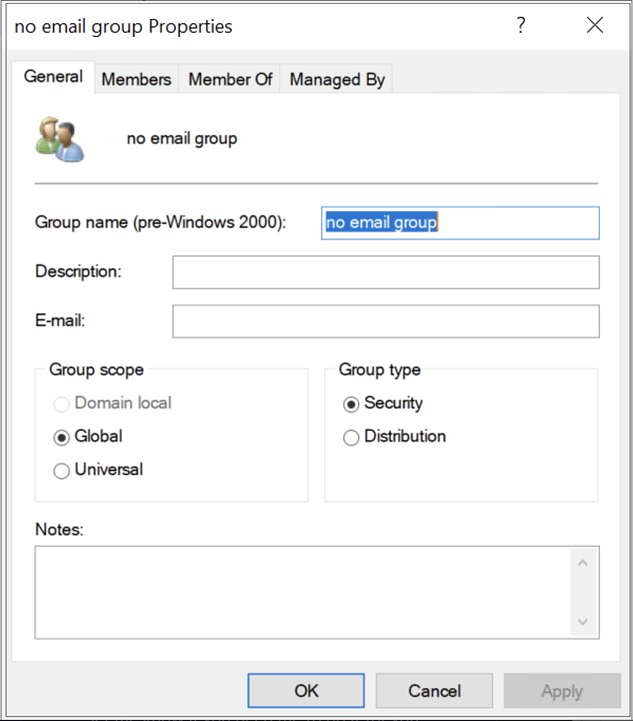
-
This group is replicated in the Google directory with an email address that is synthesized by the group common name (note that since “space” is not supported in an email address, it’s omitted) and a verified Google domain
@groups.fabrikam.com. The effective Google group email address,noemailgroup@groups.fabrikam.comdoes not exist in the source directory.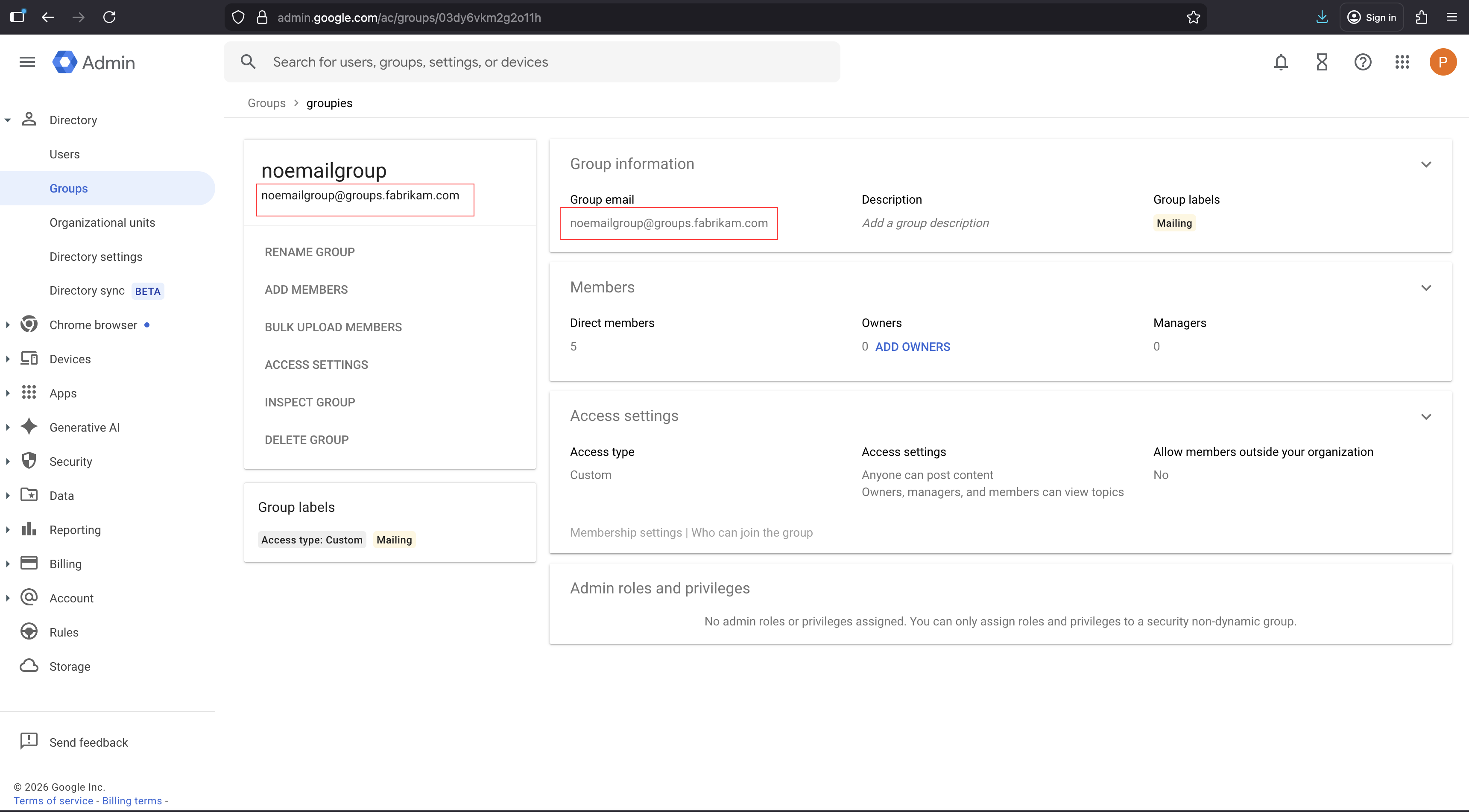
-
The admin can configure domain mapping for groups without an email address.
- In the Secure Private Access admin console, navigate to Browser settings > Domain Mapping.
- Turn the Include empty domain toggle to ON to enable mapping of groups without email addresses.
- In the Google domains > Domains field, enter the target group domain (
groups.fabrikam.comin this example). By adding the target group domain, you are enabling the admin to map groups without an email against the appropriate Google domain email (groups.fabrikam.com) when configuring policies.
When assigning groups to a policy, if you search for the group without an email address (
noemailgroup), an email address is synthesized based on your Domain mapping configuration andnoemailgroup@groups.fabrikam.combecomes available. This conversion is based on a predetermined conversion logic. For details, see Email address construction.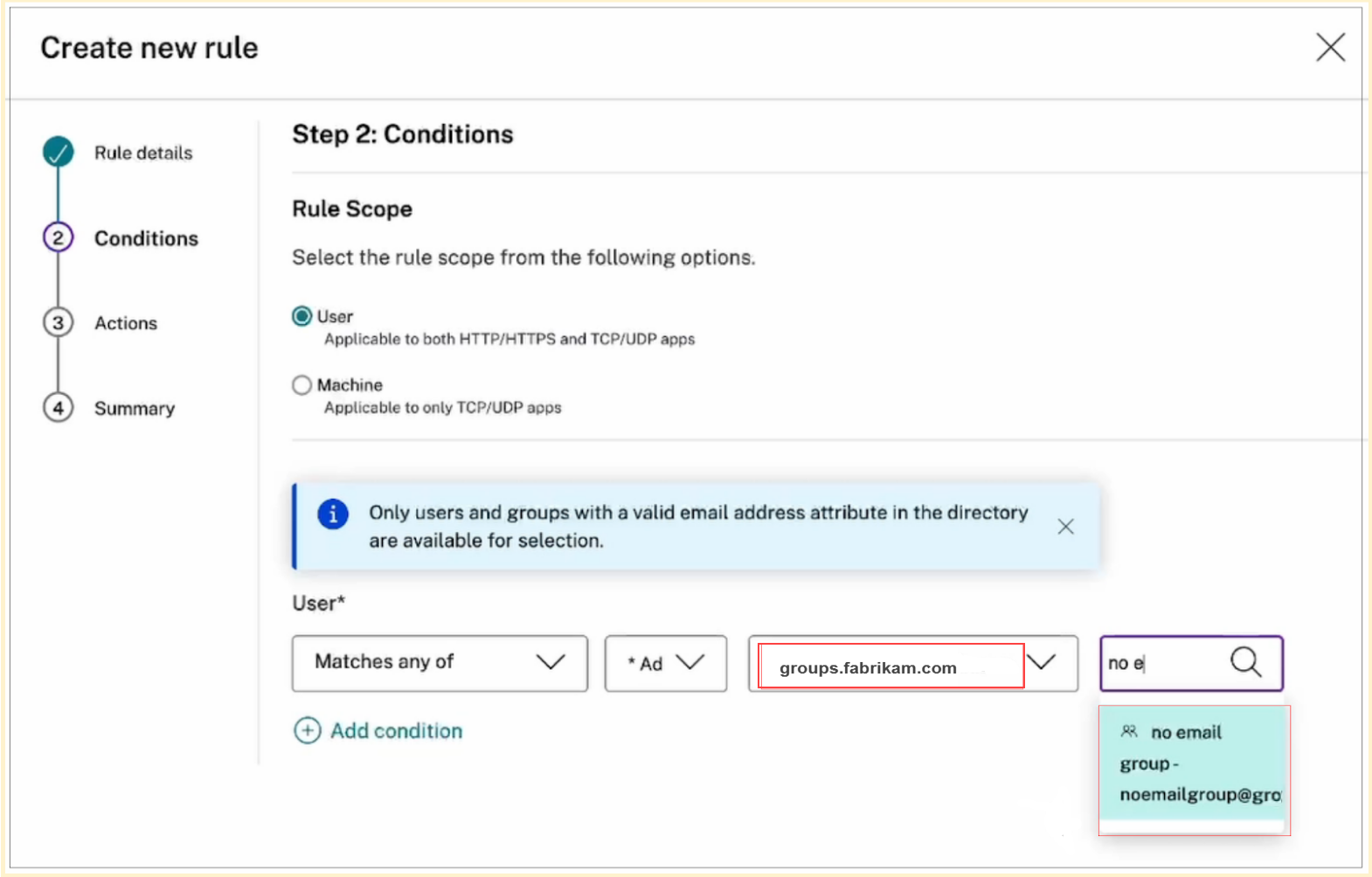
Email address construction
-
For groups without an existing email address:
- The email local part is populated using the lowercase version of the Group Common Name (cn), with “space” characters omitted.
- The email domain part is populated using the lowercase version of the Google domain (google-domain).
- Domain selection (when multiple Google domains are present): If a group is associated with multiple Google domains, the admin can select the appropriate domain for the email address.
-
For groups with an existing onmicrosoft.com or otherwise email address in an unverified domain:
- Email local part: The email local part is populated using the lowercase version of the existing email address’ local-part.
- Domain selection (when multiple Google domains are present): If a group is associated with multiple Google domains, the admin can select the appropriate domain for the email address.
Limitations
The Domain Mapping feature only supports groups with alphanumeric characters, dashes, underscores, and spaces.