
Connect GitHub
Follow these steps to create an OAuth App in GitHub to connect it to the platform:
-
Navigate to Developer Settings:
-
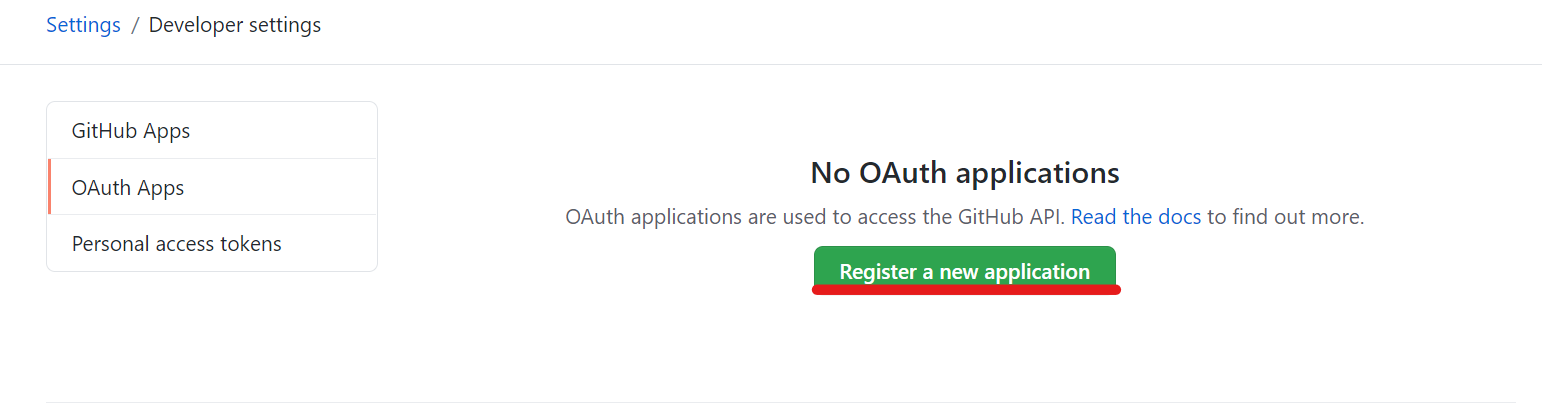
Using a GitHub account, go to its settings and then to "Developer settings".
-
Inside this menu, click on "OAuth Apps".
-
You can follow this https://github.com/settings/developers to reach this menu directly.
-
Register New Application:
-
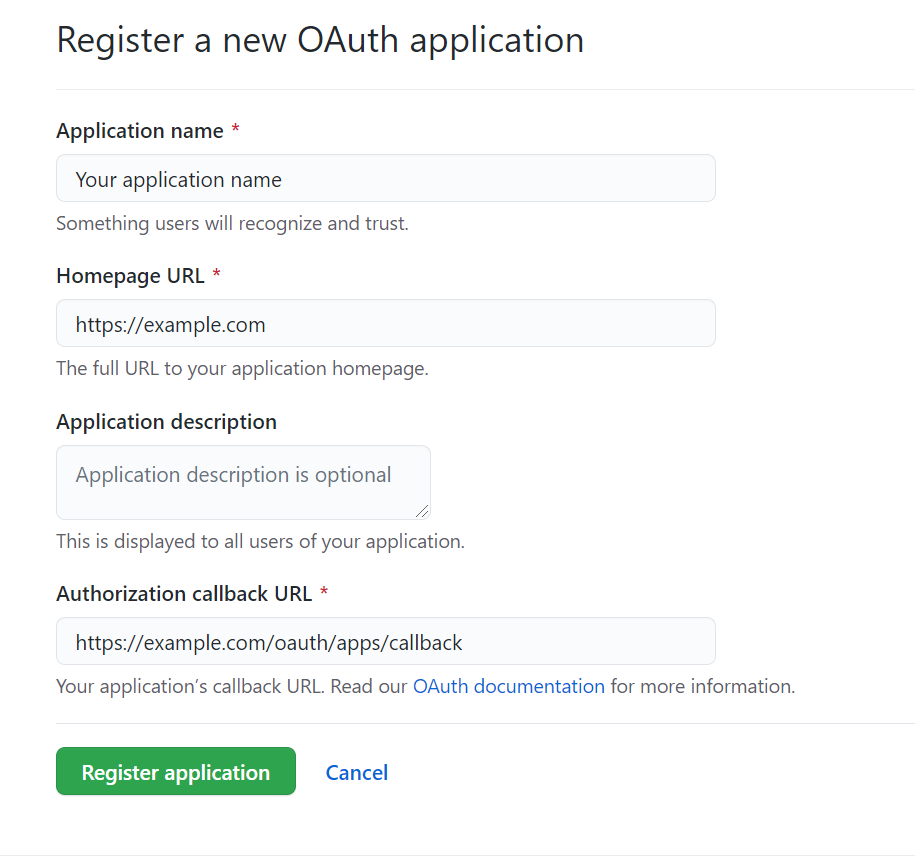
Click on "Register new application" and you will be presented with a screen to set:
-
Application Name: At your discretion.
-
Homepage URL: The main route of the domain where the platform is running.
-
Authorization Callback URL: The URL should have a structure similar to
https://example.com/oauth/apps/callback, where "example.com" should be replaced with the proper domain name (same as the Homepage URL).
-
-
Complete the Registration:
-
When this process is done, click on the green button "Register application".
-
You will be redirected to a new application page where you can see the Client ID and generate the Secret that needs to be set in the platform configuration.
-
Give Organization Access:
-
You will need to grant the organization access to this newly created OAuth app in the organization you want to connect to the platform.