
Regions
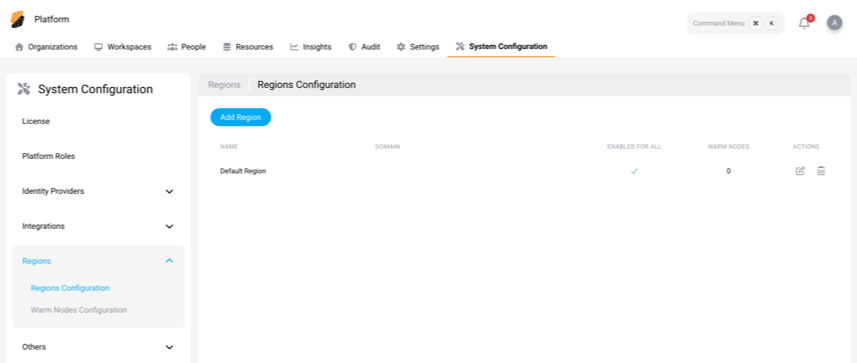
Run workspaces closer to your users. In Regions, you set up the regions and warm nodes for a multi-region deployment of Citrix SecurSpaces™.
Find these settings at System Configuration > Regions.
Note:
Regions appears only when Multi Region is turned on for your license.
There are two pages:
Regions Configuration
Add the regions where workspaces can run. For each region, give it a unique name and domain, then decide who can use it:
-
Enable for All — Everyone on the platform can use the region.
-
Limit it to specific organizations, projects, or users.
Note:
If a region isn't enabled for all and no organizations, projects, or users are selected, no one can use it.
For deployment prerequisites and setup, see Deploy SecurSpaces in Multiple Regions.
Note:
Mount points are supported only in the primary region. A workspace that uses a mount point cannot be moved to another region, and the region cannot be changed while one is attached. See Choose between data buckets and mount points.
Warm Nodes Configuration
Keep a pool of ready-to-go nodes in a region with warm nodes. Because the nodes are already provisioned, workspaces start faster instead of waiting for new nodes to spin up.