
Projects and organizations
General settings for a project and for the organization that contains it, and the recovery windows that apply when either is deleted.
For what projects and organizations are and how they relate, see Projects and Organizations.
Where each setting lives
| Setting | Organization | Project |
|---|---|---|
| Rename | yes | yes |
| Recover a deleted project | yes | — |
| Recover a deleted workspace | — | yes |
| Workspace policy, including security and network settings | Organization workspace policy | Workspace policy |
Organization settings apply to every project inside the organization, so they are the place to standardize configuration rather than repeating it project by project.
Organization settings
Organization settings are the control point for every project in the organization. Defining a setting here gives a consistent baseline that each new and existing project picks up.
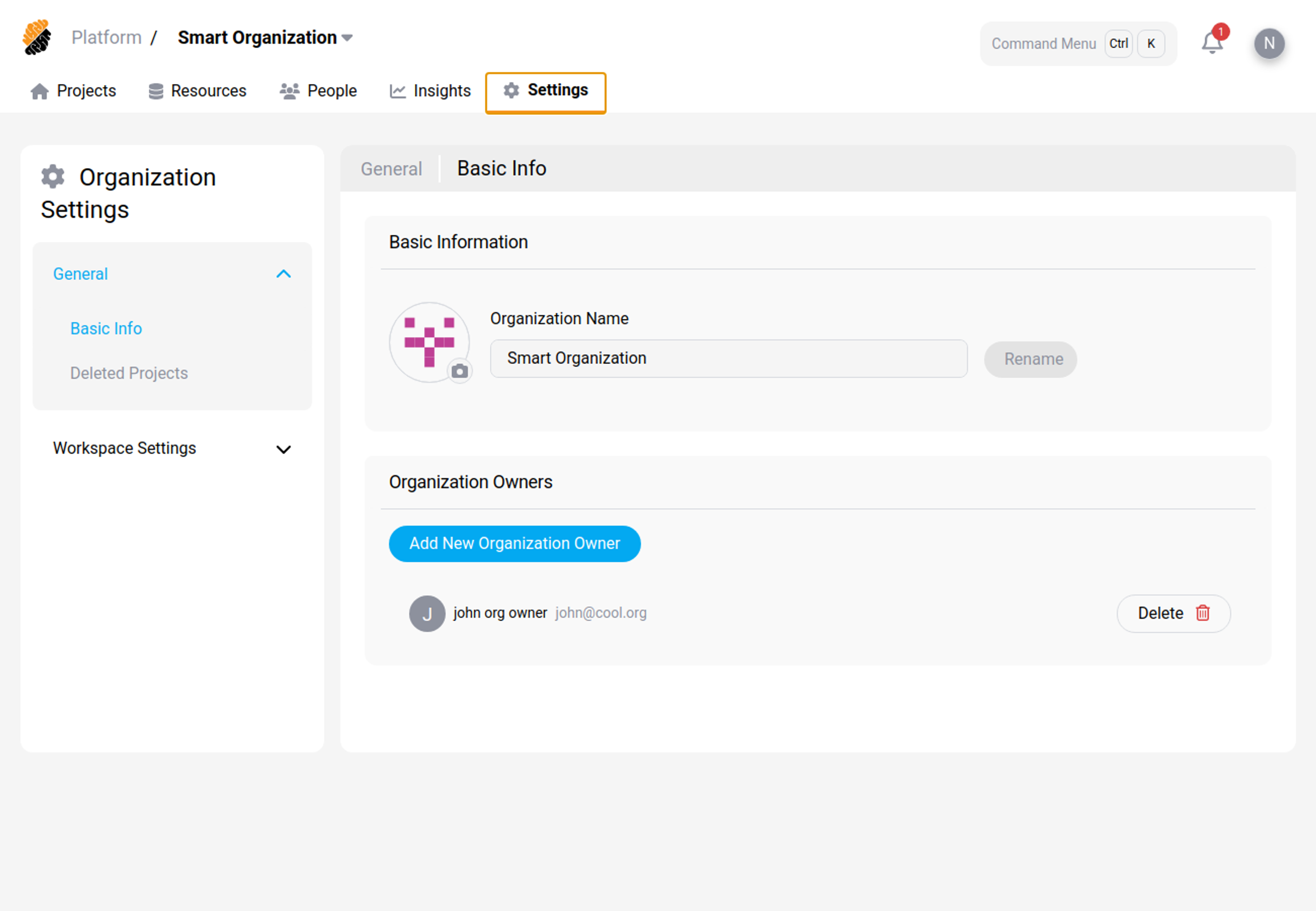
Recover a deleted project
A deleted project can be restored for 7 days. After that it is removed permanently, along with its workspaces, secrets, images, repositories, and other resources.
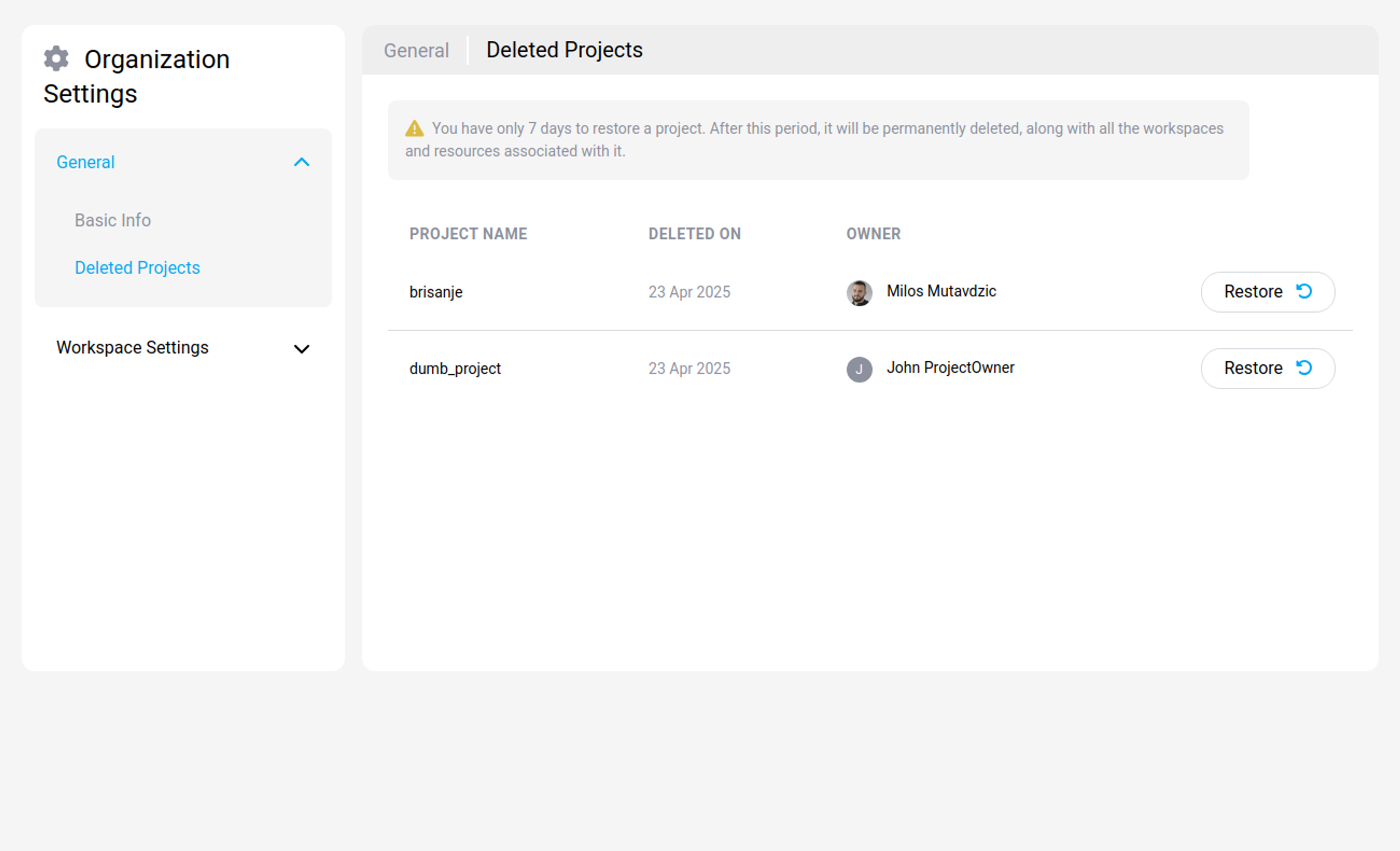
Note:
Cleanup runs on a schedule rather than at the exact moment the window closes, so a project may remain visible slightly past 7 days. Do not rely on the extra time.
Project settings
Under Basic Information you can change the project's name.
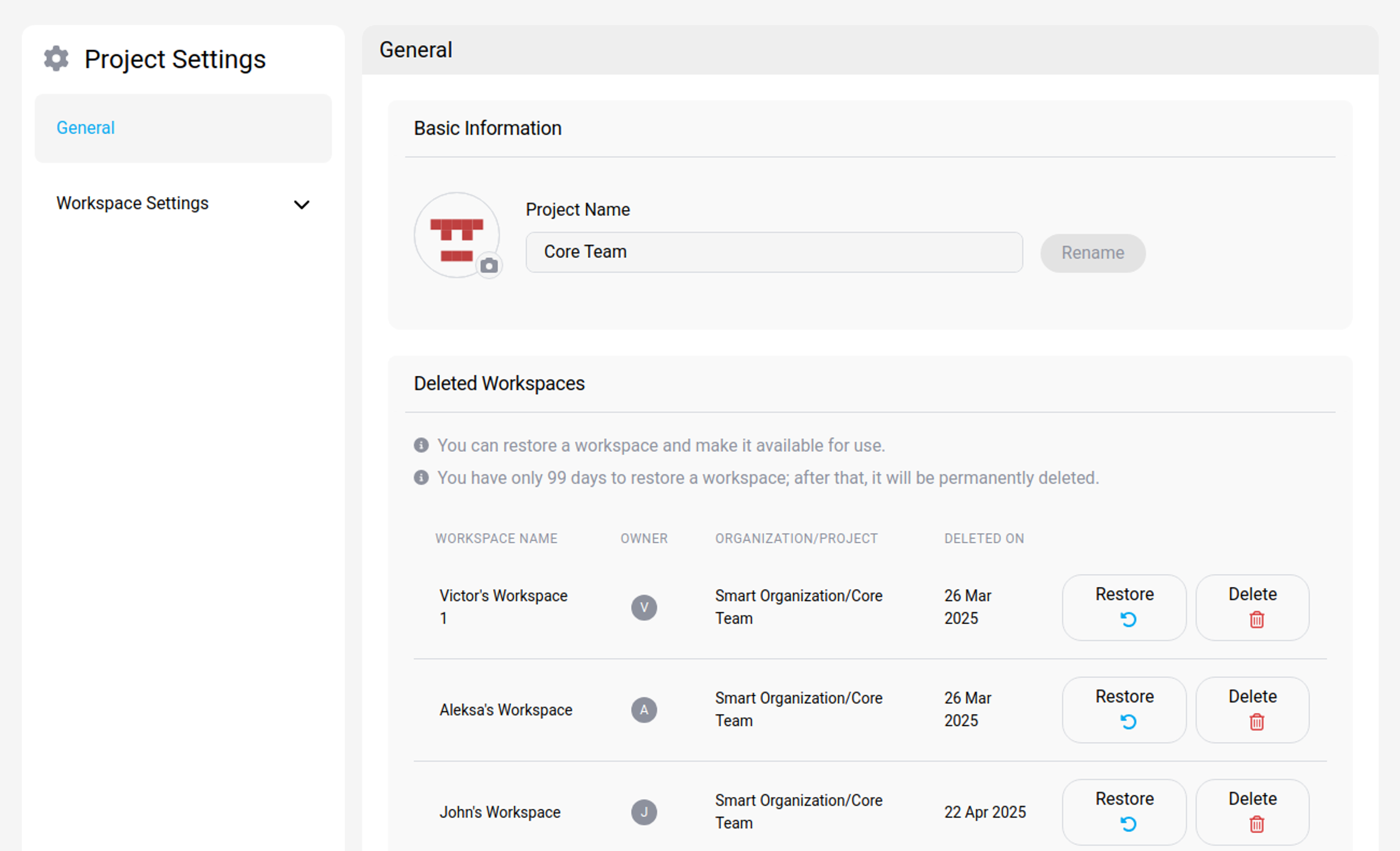
Recover a deleted workspace
A deleted workspace can be restored for a period your platform administrator sets, from 1 to 99 days. After that it is removed permanently.
The retention period is configured at platform level under Workspace policy, not per project.
Note:
A mount point cannot be deleted while a deleted workspace in the recycling bin still uses it, because that workspace can still be restored. See Mount point limits and behavior.