Connect GitLab
Follow these steps to create an OAuth App in GitLab to connect it to the platform:
-
Navigate to Applications:
-
Using a GitLab account, go to user settings and then to "Applications".
-
You can follow this https://gitlab.com/-/user_settings/applications to reach this menu directly.
-
Create a New OAuth App:
-
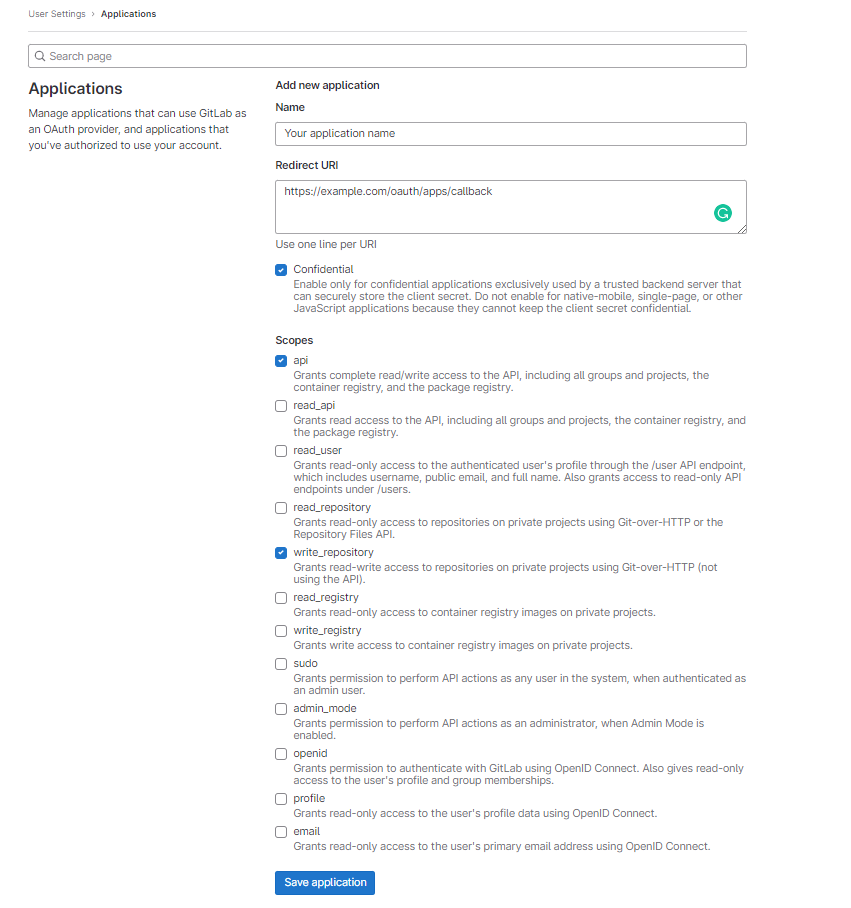
Click on "New application" and set the following fields:
-
Name: The name you want to give to the application. It will be public.
-
Redirect URI: The URL should have a structure similar to
https://example.com/oauth/apps/callback, where "example.com" should be replaced with the proper domain name. -
Confidential: This should already be selected by default; leave it as it is.
-
Scopes: Add the
apiandwrite_repositoryscopes. These are needed to automatically deploy deployment keys.
-
-
Complete the Registration:
-
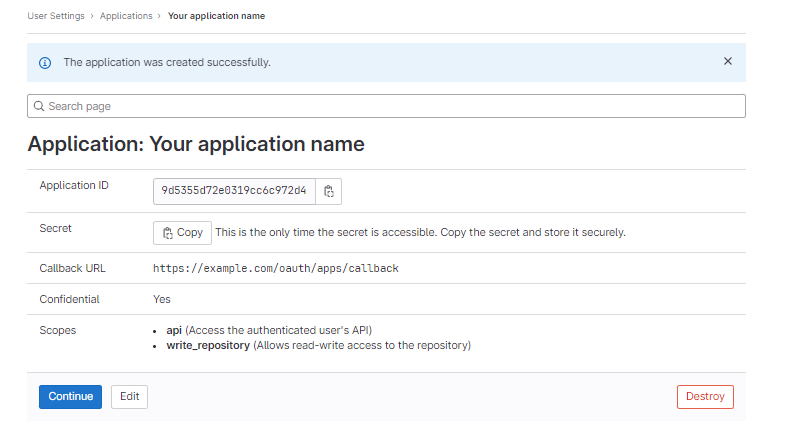
After clicking the "Save application" button, you will be presented with the Client ID (called Application ID) and Secret, which you need to enter in the platform configuration.