
eLux® 7 user interface
Note:
eLux 7 devices can be centrally managed through the Scout Enterprise Management Suite version 15.x. For further information, see Compatibility client platform and Scout Enterprise Management Suite in our Releases Whitepaper.
The screenshot shows the main elements of the eLux 7 user interface.
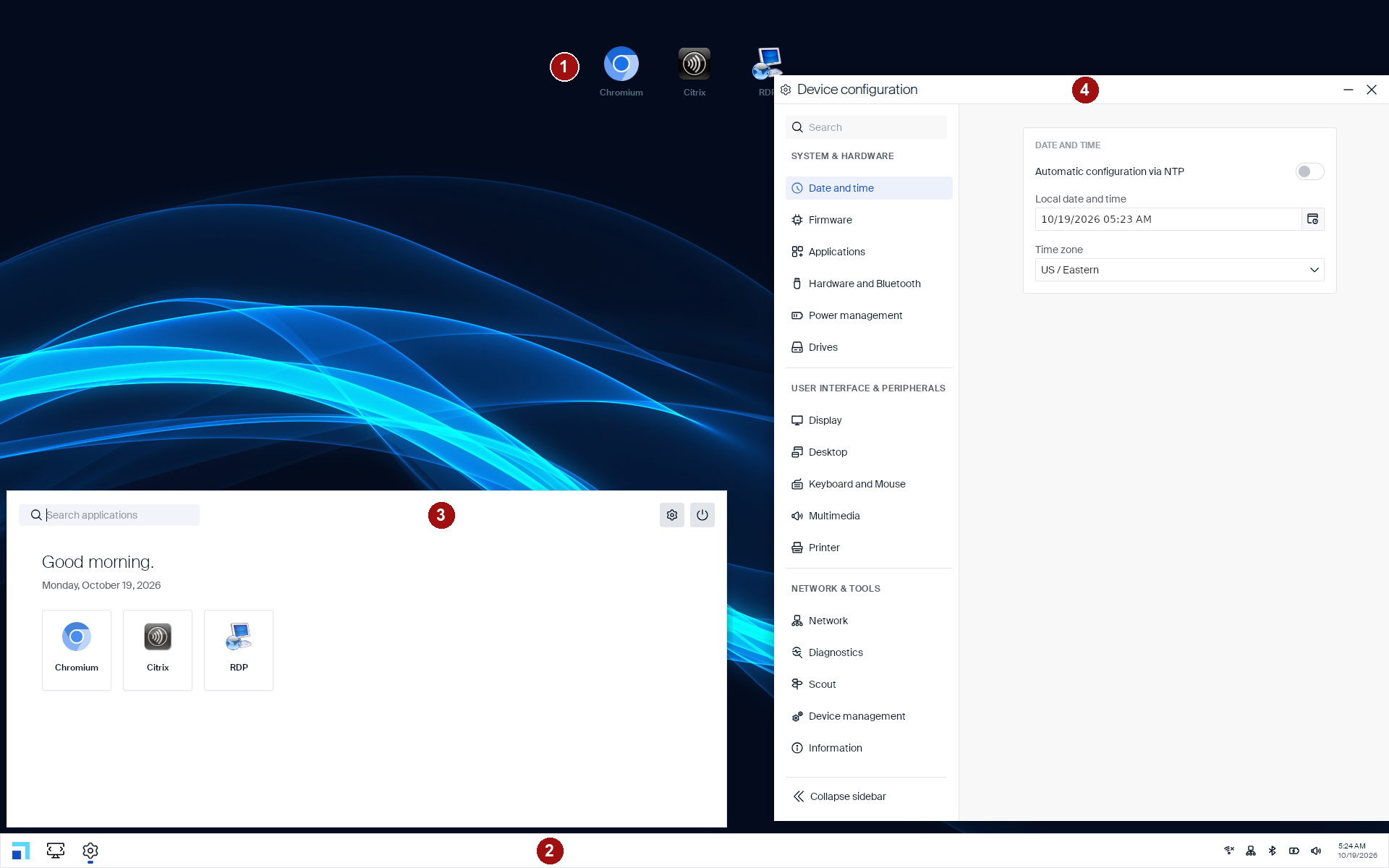
The numbers in the screenshot mark these elements:
| Description | |
|---|---|
| 1 | Desktop with applications. |
| 2 | System bar with the Start menu button, running applications and system icons. |
| 3 | Start menu with application search, the Device configuration icon and the Power menu. |
| 4 | Device configuration. |