Database connections
When you install the Scout Enterprise Management Suite®, you are asked to specify the Scout database. Check or modify the database connections at any point in time after the installation.
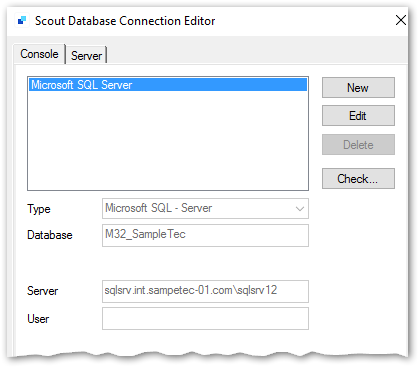
To check or change the database connection of the Scout services, use the Scout Database Connection Editor. You can find it as a stand-alone program within the Scout group of the Windows Apps view. On its Server tab, you change the database connection of Scout Server, the Scout Board database layer and the Scout Keep Alive service. The Console tab applies only to the legacy Scout Console, which is end of life.
Run the Scout Database Connection Editor as administrator: right-click it, and then click Run as administrator.
The Scout Database Connection Editor takes its display language from the registry value
Language under HKEY_CURRENT_USER\Software\Unicon\Scout\Settings. If the value doesn't exist, the editor shows German texts. To show English texts, set the value to 1.