
Dynamic device configuration
(from Scout version 15 2601)
When an eLux endpoint connects to Scout, it will receive its configuration. By default, eLux endpoints are being managed within organization units.
Organization units are managed in a tree structure. While there is a base configuration for organization units and devices, with the tree structure, these device configurations are inherited down the tree structure.
Depending on the requirements, an administrator can break this inheritance and a different device configuration can be defined for an organization unit or for endpoints.
Changes made in an upper level in the tree structure will then not be inherited anymore.
Using a flag called "check independent configurations", the modified device configurations can be pushed down the tree structure, while manually choosing which configurations should be pushed.
When a device configuration has changed, there is a save option "Save and check independent configurations" for this feature to be applied.
For enabling a much more dynamic possibility to add specific configuration to devices, with the UniconOS Management Board version 15 2601, a rule and label based configuration approach has been added in addition to the default configuration mechanism.
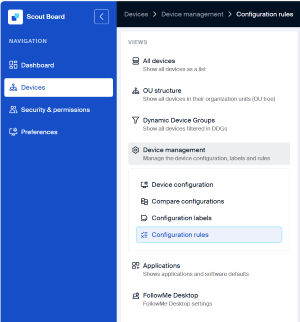
Labels
A label is a small unit for defining specific configurations for a defined use-case. In a label, one or more sections from the device configuration can be added and the configuration can be defined.
This way, each label has a group of specific configurations, which can be applied to an endpoint.
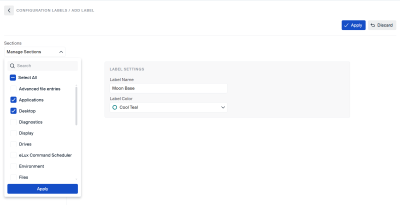
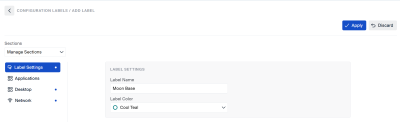
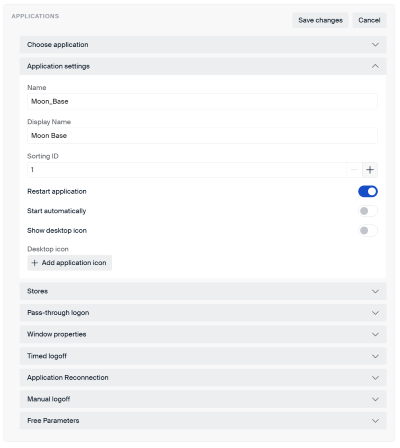
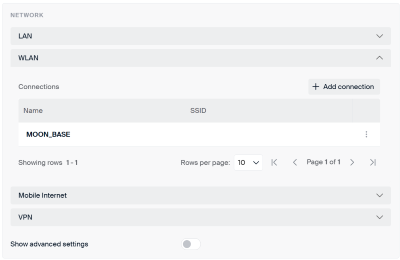
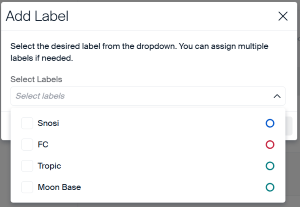
One or more labels can be assigned to a defined rule.
The sequence of the labels also defines the priority or the configuration for an endpoint.
If the endpoint receives two labels, and both labels contain the same configuration section but with different configurations, the higher priority label will override the other during the merge of the configurations.
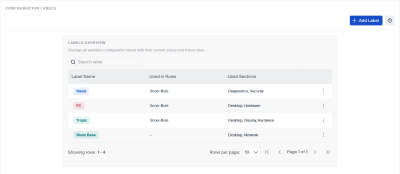
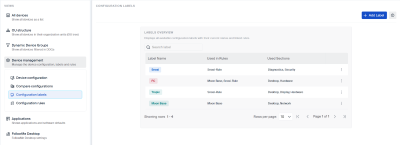
A label can also carry environment variables in its Environment section. Selecting Encrypt value for an entry stores the value encrypted and delivers it to the device encrypted, the same way as an environment variable set directly on an OU or a device. A variable without Encrypt value reaches the device unchanged.
A label can also set the start scenario of devices, for example Boot to VDI, and turn on browser prompt suppression. For this, add settings of the User authentication section to the label: Start scenario, or Suppress browser prompts and Trusted browser origins. For details, see Start scenario and Labels and advanced file entries.
For Boot to VDI, the UniconOS desktop and kiosk mode, UniconOS Management Board also offers ready-made labels: the configuration templates. You copy a template, adapt it and link it to rules like a label, see Configuration templates.
Label settings on the devices
From UniconOS Management 2611, devices get the label settings in this table as you set them. Earlier versions didn't send these settings to the devices, or they sent other values:
| Section | Label settings |
|---|---|
| Network | WLAN, Mobile Internet and VPN profiles, the LAN connection with its passwords, and the notifications on failed 802.1X authentication |
| Drives | Network drives with their passwords and with Use Active Directory authentication |
| Printer | Printers with all their settings |
| Firmware | The Provider of a static proxy, and the Password for the server |
| Desktop | The settings under Advanced and Shortcut keys, the Time format, and background pictures set by URL |
| Power management | The Working days. A label without working days keeps the working days and hours of the device configuration. |
| Keyboard and Mouse | Console switch |
| User authentication | The SAML settings with the IdP certificate, the OpenID client secret and the Secret of Evidian |
| Mirroring | The Password |
| Security | The User rights |
| UniconOS Command Scheduler | Jobs with the preset time of the job dialog |
| Applications | The session options of RDP and VMware Horizon applications |
A label changes only the settings that it contains. The network profiles, network drives and printers of a label are added to those of the device configuration. A label entry with the same name replaces the entry of the device configuration, and the LAN connection of a label replaces the LAN connection. So a label can't remove these entries, and it can't remove background pictures either. Only the host names and the jobs of the UniconOS Command Scheduler of a label still replace the whole list of the device configuration.
If you upgrade from an earlier version, check your labels. Devices now apply label settings that they ignored before.
Rules
A rule contains a logical expression, with different parameters and values. When a device connects to Scout, and this logical expression is valid, then this rule will be applied.
Scout checks the rules each time it builds the configuration of a device: when the device requests its configuration, for example when it restarts, and when Scout builds the configuration in advance. A rule gives the same result in both cases. Rules on the supplier, the serial number or the device type already apply to the first configuration of a new device.
Each rule will have one or more labels assigned to it.
The device will then get the configurations defined in the assigned labels.
If multiple rules apply for an endpoint, the higher priority rule and the labels assigned to the rule will override the other during the merge of the configurations.
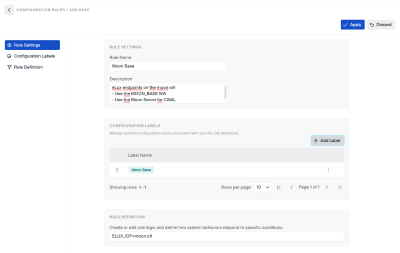
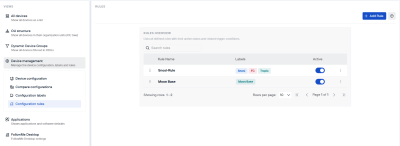
Configuration rules offer more parameters than the OU filter rules: in addition to the device properties listed in User defined OU filters, configuration rules also offer OU Path, OU Name, OU ID, Device Name (Server), Info 1 to Info 3, In Subnet (IP Check) and Custom Property.
Priorities
Labels and rules have a priority. The higher priority wins and overrides the lower priority one.
When the configuration for a device is calculated, the different configurations will be merged by following a defined sequence of priority.
The priority is listed from low to high, while the higher will override the same configuration parameters.
-
Base configuration --> lowest priority
-
Inherited device configuration or Independent device configuration
-
Advanced device configuration
-
Label (Assigned directly to the OU)
-
Label (Assigned directly to the Device)
-
Independent configuration (Device)
-
Rules --> highest priority