
App Settings device policy
The App Settings device policy lets you configure app allow and deny lists using Apple's Declarative Device Management. It replaces the deprecated
allowListedAppBundleIDs and blockedAppBundleIDs restriction keys. This policy only supports supervised devices.
To add or configure this policy, go to Configure > Device Policies. For more information, see Device policies.
Prerequisites
-
CEM version is equal to or greater than 26.8.0.
-
Available for iOS 27 or later and iPadOS 27 or later, only support supervised devices.
iOS settings
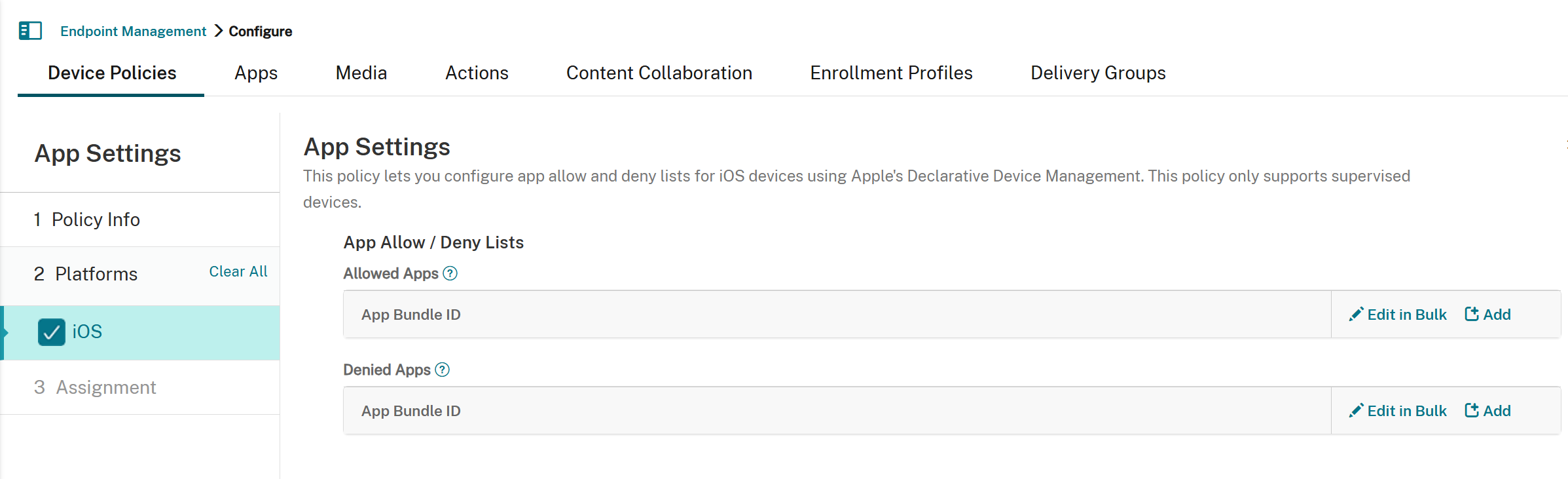
-
App Allow / Deny Lists
-
Allowed Apps: If present, the device only shows or launches apps with bundle IDs in the list. Include the value
com.apple.webappto allow all webclips. This applies to App Store apps, marketplace apps, and locally installed apps (using Configurator, Xcode, and so forth).-
App Bundle ID: To add App Bundle ID, click Add, type an App Bundle ID, and click Save. Repeat that process for each app bundle ID you want to add. You can also click Edit in Bulk, enter or paste app bundle IDs, one per line or separate by commas, and click Save.
-
-
Denied Apps: If present, the device prevents showing or launching apps with bundle IDs in the list. Include the value
com.apple.webappto restrict all webclips. This applies to App Store apps, marketplace apps, and locally installed apps (using Configurator, Xcode, and so forth).
-
Note:
Denying system apps may disable other functionality. For example, denying the App Store app may prevent users from accepting the terms and conditions for the user-based Volume Purchase Program (VPP). We recommend that you configure either the App Allow list or the App Deny list, but not both.