-
-
How to install and use JetBrains IntelliJ Gateway as a Citrix published application
-
Use Citrix Secure Access and Citrix Secure Developer Spaces with VS Code
-
Configure AI Gateway routing in Citrix Secure Developer Spaces
-
Configure external MongoDB with X.509 authentication in Citrix Secure Developer Spaces
-
This content has been machine translated dynamically.
Dieser Inhalt ist eine maschinelle Übersetzung, die dynamisch erstellt wurde. (Haftungsausschluss)
Cet article a été traduit automatiquement de manière dynamique. (Clause de non responsabilité)
Este artículo lo ha traducido una máquina de forma dinámica. (Aviso legal)
此内容已经过机器动态翻译。 放弃
このコンテンツは動的に機械翻訳されています。免責事項
이 콘텐츠는 동적으로 기계 번역되었습니다. 책임 부인
Este texto foi traduzido automaticamente. (Aviso legal)
Questo contenuto è stato tradotto dinamicamente con traduzione automatica.(Esclusione di responsabilità))
This article has been machine translated.
Dieser Artikel wurde maschinell übersetzt. (Haftungsausschluss)
Ce article a été traduit automatiquement. (Clause de non responsabilité)
Este artículo ha sido traducido automáticamente. (Aviso legal)
この記事は機械翻訳されています.免責事項
이 기사는 기계 번역되었습니다.책임 부인
Este artigo foi traduzido automaticamente.(Aviso legal)
这篇文章已经过机器翻译.放弃
Questo articolo è stato tradotto automaticamente.(Esclusione di responsabilità))
Translation failed!
Information Security Policy
The Information Security Policy lets you publish your organization’s security policy document to everyone on the platform. As an administrator, you upload a PDF and set how long it stays valid before you renew it. Users can open and read the policy at any time.
Find this setting at Settings > Security > Information Security Policy.
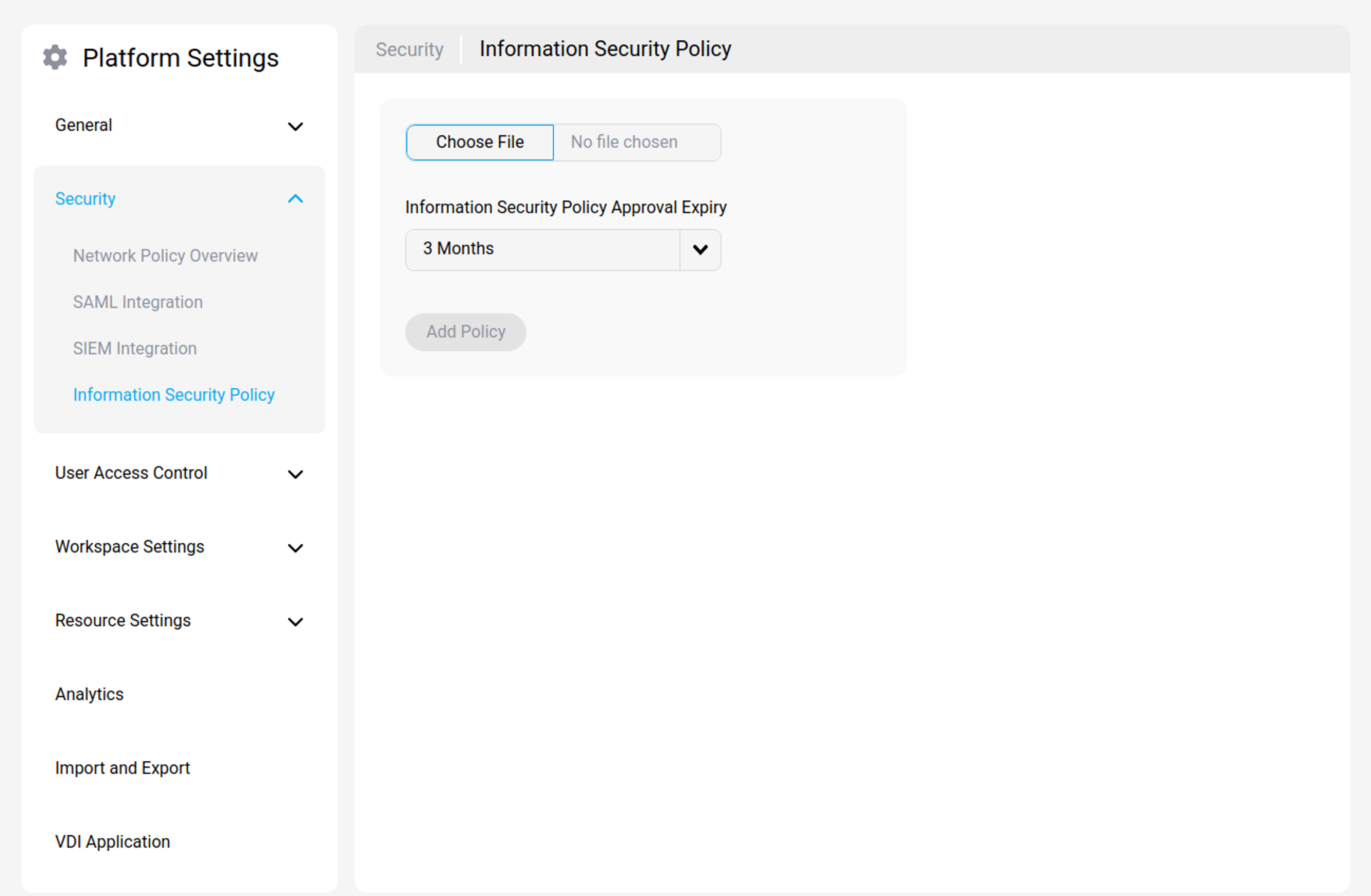
What the Information Security Policy is used for
Use this feature to make a single, authoritative security policy available across the platform. You upload the document, and the platform stores its submission date, its most recent renewal date, and its expiry date so your policy stays current.
The document must be a PDF.
Where users see the policy
Anyone signed in to the platform can open the policy from the Policy link in the footer. Selecting it opens a window that shows:
- The submission date.
- The renewal date.
- The expiry date.
- The policy document itself.
Administrators also see a Renew button in this window.
Is acceptance required?
No. The Information Security Policy is a reference document. Users can read it whenever they want, but they aren’t prompted to accept it, and they aren’t blocked from using the platform if they haven’t opened it.
Note:
If you need users to actively accept a document before they can use the platform, use Terms of Service Agreements instead. The two features are separate: Terms of Service Agreements require acceptance and block access until the user accepts, while the Information Security Policy is read-only for users and never blocks them.
How Approval Expiry works
When you upload the policy, you set an Information Security Policy Approval Expiry period: 3, 6, 9, 12, 18, or 24 months. The platform uses this to calculate an expiry date, measured from the upload date.
This is an administrator reminder, not a user re-acceptance schedule. Here’s what expiry does and doesn’t do:
- It doesn’t affect users. Users are never re-prompted, notified, or blocked when the policy expires.
- It reminds administrators. Within 14 days of the expiry date, and after it passes, administrators see a warning that the policy needs attention. This keeps your published policy current.
So the Approval Expiry period sets how long your document is considered current before you, as an administrator, need to renew or replace it. Users aren’t asked to approve the policy based on this period.
Keep the policy current
Clear an expiry warning in one of two ways:
- Upload a new policy. Go to Settings > Security > Information Security Policy, upload a new PDF, and set a fresh Approval Expiry period. This replaces the current document.
- Renew the current policy. Open the policy from the footer and select Renew. This extends the expiry date without replacing the document.
Related information
Share
Share
This Preview product documentation is Citrix Confidential.
You agree to hold this documentation confidential pursuant to the terms of your Citrix Beta/Tech Preview Agreement.
The development, release and timing of any features or functionality described in the Preview documentation remains at our sole discretion and are subject to change without notice or consultation.
The documentation is for informational purposes only and is not a commitment, promise or legal obligation to deliver any material, code or functionality and should not be relied upon in making Citrix product purchase decisions.
If you do not agree, select I DO NOT AGREE to exit.