-
-
-
-
-
-
Cisco Identity Services Engine과 XenMobile 모바일 장치 관리 통합
This content has been machine translated dynamically.
Dieser Inhalt ist eine maschinelle Übersetzung, die dynamisch erstellt wurde. (Haftungsausschluss)
Cet article a été traduit automatiquement de manière dynamique. (Clause de non responsabilité)
Este artículo lo ha traducido una máquina de forma dinámica. (Aviso legal)
此内容已经过机器动态翻译。 放弃
このコンテンツは動的に機械翻訳されています。免責事項
이 콘텐츠는 동적으로 기계 번역되었습니다. 책임 부인
Este texto foi traduzido automaticamente. (Aviso legal)
Questo contenuto è stato tradotto dinamicamente con traduzione automatica.(Esclusione di responsabilità))
This article has been machine translated.
Dieser Artikel wurde maschinell übersetzt. (Haftungsausschluss)
Ce article a été traduit automatiquement. (Clause de non responsabilité)
Este artículo ha sido traducido automáticamente. (Aviso legal)
この記事は機械翻訳されています.免責事項
이 기사는 기계 번역되었습니다.책임 부인
Este artigo foi traduzido automaticamente.(Aviso legal)
这篇文章已经过机器翻译.放弃
Questo articolo è stato tradotto automaticamente.(Esclusione di responsabilità))
Translation failed!
XenMobile® 모바일 장치 관리(MDM)를 Cisco Identity Services Engine(ISE)과 통합
Cisco ISE는 직장에서 모바일 장치를 배포, 보안, 모니터링, 통합 및 관리하는 데 사용됩니다. 모바일 장치에 다운로드된 소프트웨어는 다음을 제어합니다.
- 애플리케이션 및 패치 배포
- 엔드포인트의 데이터 및 구성
XenMobile은 Cisco ISE와 통합하여 Cisco ISE 콘솔에서 비준수 및 관리되지 않는 장치를 관리할 수 있습니다. XenMobile은 또한 기업 서비스에 대한 액세스를 선택적으로 허용, 거부 또는 격리할 수 있도록 합니다.
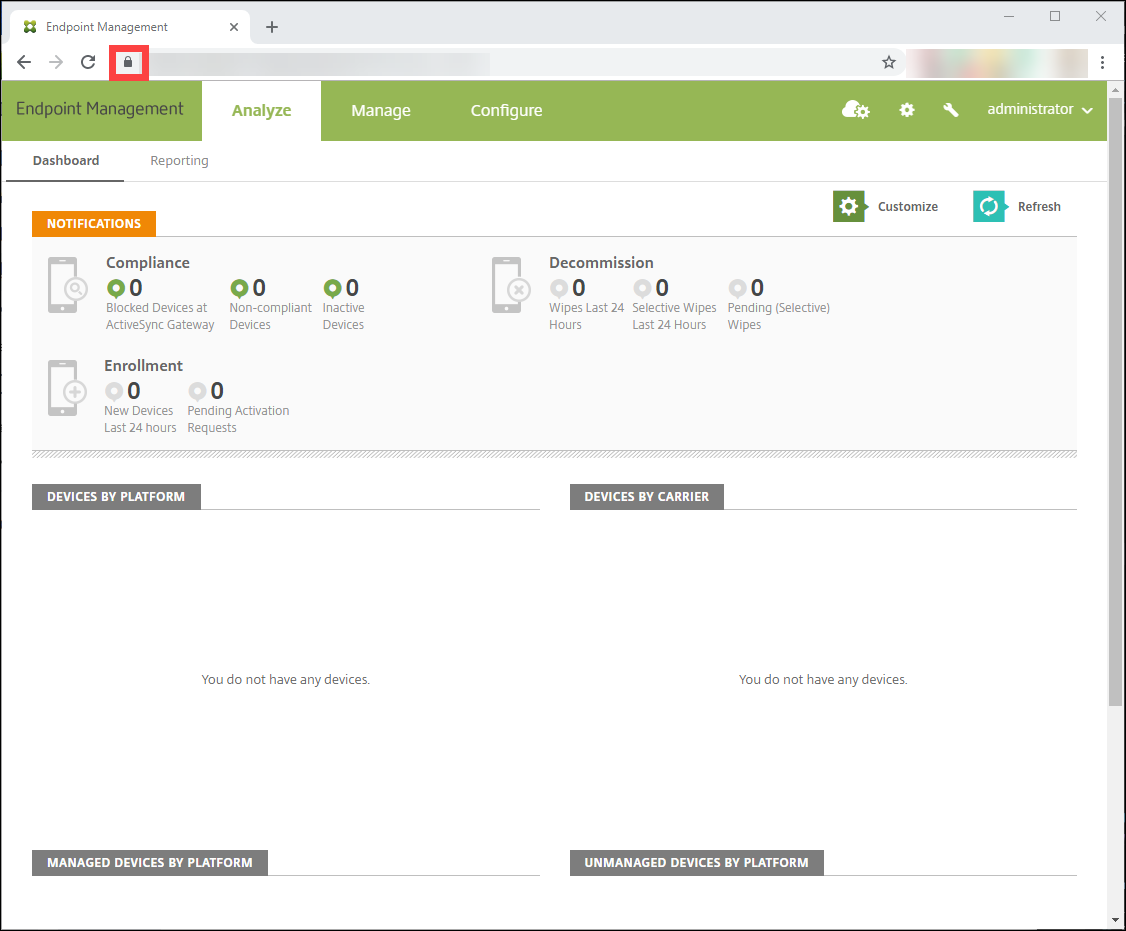
XenMobile과의 통합을 설정하려면 XenMobile Server에 관리자 RBAC 역할이 할당된 로컬 서비스 계정을 생성하십시오. 이 역할은 Cisco ISE가 XenMobile API에 액세스할 수 있도록 합니다. ISE는 XenMobile 인증서를 신뢰해야 합니다. 이 인증서를 다운로드하려면 웹 브라우저를 열고 서버 URL로 이동하여 로그인하십시오.
- 로그인한 후 주소 표시줄의 URL 옆에 있는 잠금 아이콘을 클릭합니다.
-
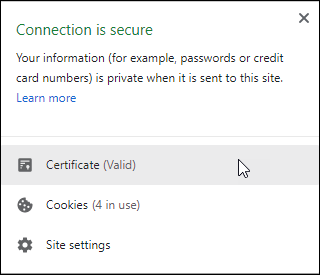
인증서를 클릭합니다.
-
세부 정보 탭을 선택하고 파일로 복사를 클릭합니다.
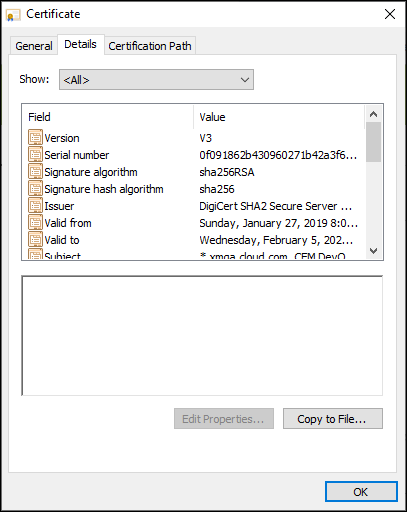
- 마법사를 따라 인증서를 로컬에 저장합니다.
- Cisco ISE 콘솔에 로그인하여 이전에 다운로드한 XenMobile 인증서를 가져옵니다. Cisco ISE의 신뢰할 수 있는 인증서 저장소로 인증서를 가져옵니다. 이는 Cisco ISE가 XenMobile Server와의 통신을 신뢰하는 데 필요합니다.
- 관리 > 시스템 > 인증서 > 인증서 관리 > 신뢰할 수 있는 인증서로 이동합니다. 가져오기를 클릭합니다.
- 인증서 이름을 지정하고 ISE 내 인증을 위한 신뢰 및 Cisco 서비스 인증을 위한 신뢰 확인란을 선택합니다.
- Cisco ISE 내에서 XenMobile을 외부 MDM으로 추가합니다.
-
관리 > 네트워크 리소스 > 외부 MDM으로 이동합니다. 추가를 클릭하고 다음을 작성합니다.
- 서버 호스트: XenMobile FQDN
- 포트: 443
- 인스턴스 이름: XenMobile Server의 인스턴스 이름입니다. 대부분의 배포에서 인스턴스 이름은 기본적으로 “zdm”입니다.
- 사용자 이름: 이 작업을 위해 생성한 사용자 이름을 입력합니다. 사용자는 원래 관리자 RBAC 그룹의 로컬 관리자 계정이어야 합니다.
- 암호: 방금 추가한 사용자의 암호
- 활성화라고 표시된 곳을 선택합니다.
-
관리 > 네트워크 리소스 > 외부 MDM으로 이동합니다. 추가를 클릭하고 다음을 작성합니다.
- 테스트가 성공하면 제출을 클릭합니다.
Cisco ISE에 대한 자세한 내용은 Cisco 설명서를 참조하십시오.
참고:
ISE 통합은 호스팅된 Endpoint Management에서는 지원되지 않습니다.
공유
공유
이 문서
This Preview product documentation is Citrix Confidential.
You agree to hold this documentation confidential pursuant to the terms of your Citrix Beta/Tech Preview Agreement.
The development, release and timing of any features or functionality described in the Preview documentation remains at our sole discretion and are subject to change without notice or consultation.
The documentation is for informational purposes only and is not a commitment, promise or legal obligation to deliver any material, code or functionality and should not be relied upon in making Citrix product purchase decisions.
If you do not agree, select I DO NOT AGREE to exit.