This content has been machine translated dynamically.
Dieser Inhalt ist eine maschinelle Übersetzung, die dynamisch erstellt wurde. (Haftungsausschluss)
Cet article a été traduit automatiquement de manière dynamique. (Clause de non responsabilité)
Este artículo lo ha traducido una máquina de forma dinámica. (Aviso legal)
此内容已经过机器动态翻译。 放弃
このコンテンツは動的に機械翻訳されています。免責事項
이 콘텐츠는 동적으로 기계 번역되었습니다. 책임 부인
Este texto foi traduzido automaticamente. (Aviso legal)
Questo contenuto è stato tradotto dinamicamente con traduzione automatica.(Esclusione di responsabilità))
This article has been machine translated.
Dieser Artikel wurde maschinell übersetzt. (Haftungsausschluss)
Ce article a été traduit automatiquement. (Clause de non responsabilité)
Este artículo ha sido traducido automáticamente. (Aviso legal)
この記事は機械翻訳されています.免責事項
이 기사는 기계 번역되었습니다.책임 부인
Este artigo foi traduzido automaticamente.(Aviso legal)
这篇文章已经过机器翻译.放弃
Questo articolo è stato tradotto automaticamente.(Esclusione di responsabilità))
Translation failed!
XenMobile® から Microsoft Store for Business アプリを展開
Microsoft Store for Business は、組織向けに無料および有料アプリを大量に見つけて配布できる場所です。XenMobile Server を Microsoft Store for Business に接続すると、Store for Business アプリが XenMobile の [構成] > [アプリ] ページに表示されます。その後、これらのアプリを Windows 10 および Windows 11 デバイスに展開できます。
XenMobile は、Microsoft Store for Business でサポートされているデフォルトのライセンスモデルであるオンラインライセンスアプリ管理のみをサポートしています。このモデルでは、ユーザーとデバイスが Microsoft Store サービスに接続してアプリとそのライセンスを取得する必要があります。
Microsoft Store for Business の詳細については、Microsoft ドキュメントの https://docs.microsoft.com/en-us/microsoft-store/microsoft-store-for-business-overview を参照してください。
Microsoft Store for Business アプリにアクセスするための前提条件
-
Azure Active Directory
Microsoft Store for Business アプリにアクセスするには、まず Azure Active Directory を ID プロバイダー (IdP) として構成する必要があります。Azure Active Directory を IdP として構成する方法の詳細については、「Azure Active Directory を IdP として使用」を参照してください。
-
Microsoft Store for Business
XenMobile Server と Microsoft Store for Business の接続
-
XenMobile コンソールの [設定] ページで、[Microsoft Store for Business] のリンクを検索してクリックします。
-
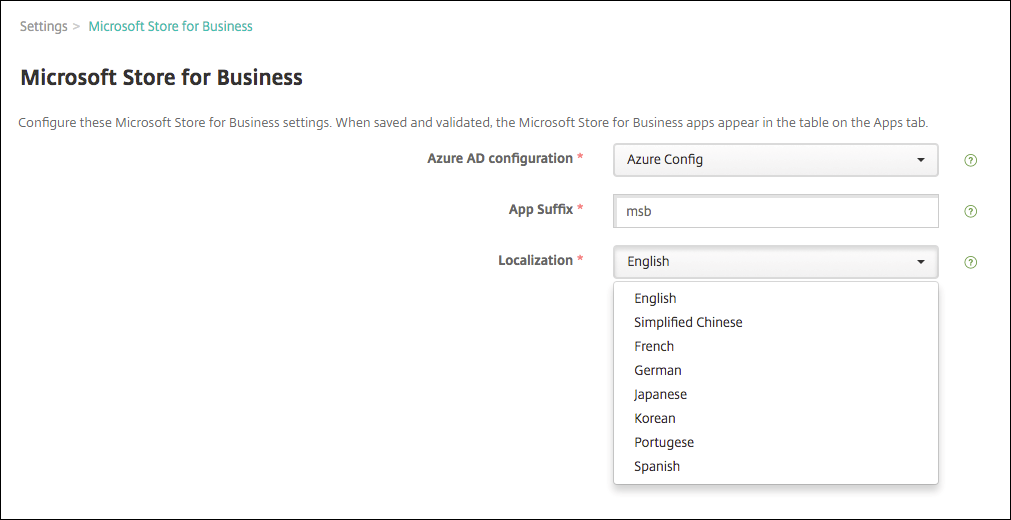
次の設定を構成します。
- Azure AD 構成: 前提条件の一部として構成した Azure Active Directory インスタンスを選択します。
- アプリのサフィックス: すべての Microsoft Store for Business アプリに追加されるサフィックスを入力して、簡単に識別できるようにします。
- ローカライズ: Store for Business から XenMobile にダウンロードされるアプリの詳細に使用する言語を選択します。
-
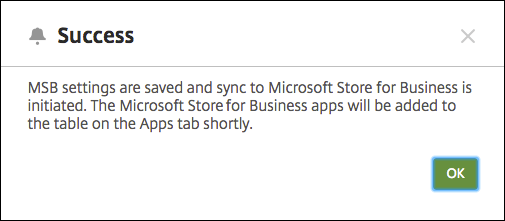
[保存] をクリックします。XenMobile は Microsoft Store for Business アプリを [構成] > [アプリ] ページに追加します。
-
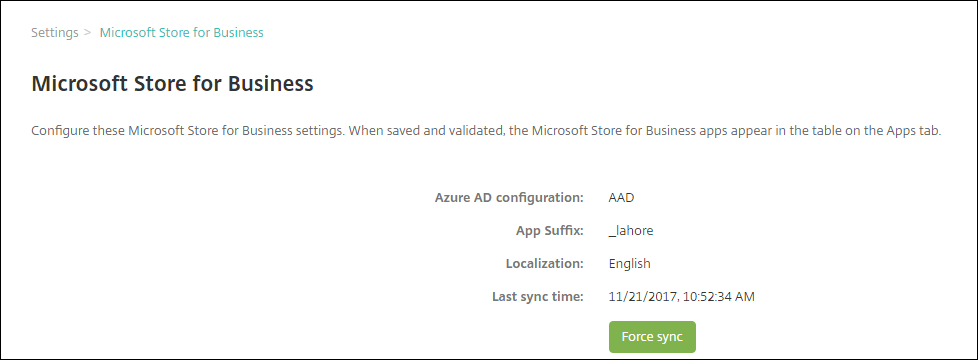
後でアプリを再同期するには、Microsoft Store for Business 設定ページに戻り、[強制同期] ボタンをクリックします。
Microsoft Store for Business アカウントと XenMobile の関連付け
- Azure Active Directory へのサインインに使用するのと同じテナントアカウントを使用して、Microsoft Business Store にログインします。
- Business Store で、[設定] > [管理ツール] を選択します。
- [管理ツール] ページで、[管理ツールの追加] を選択し、[XenMobile] を選択します。
Store for Business とのアプリの同期
デフォルトでは、XenMobile は 24 時間ごとに Microsoft Store for Business と同期します。同期を強制するには、[設定] > [Microsoft Store for Business] に移動し、[強制同期] をクリックします。
同期間隔を変更するには、[設定] > [サーバープロパティ] に移動し、[最小 MSB ベースライン間隔] サーバープロパティの値を更新します。
Store for Business アプリのデリバリーグループへの割り当て
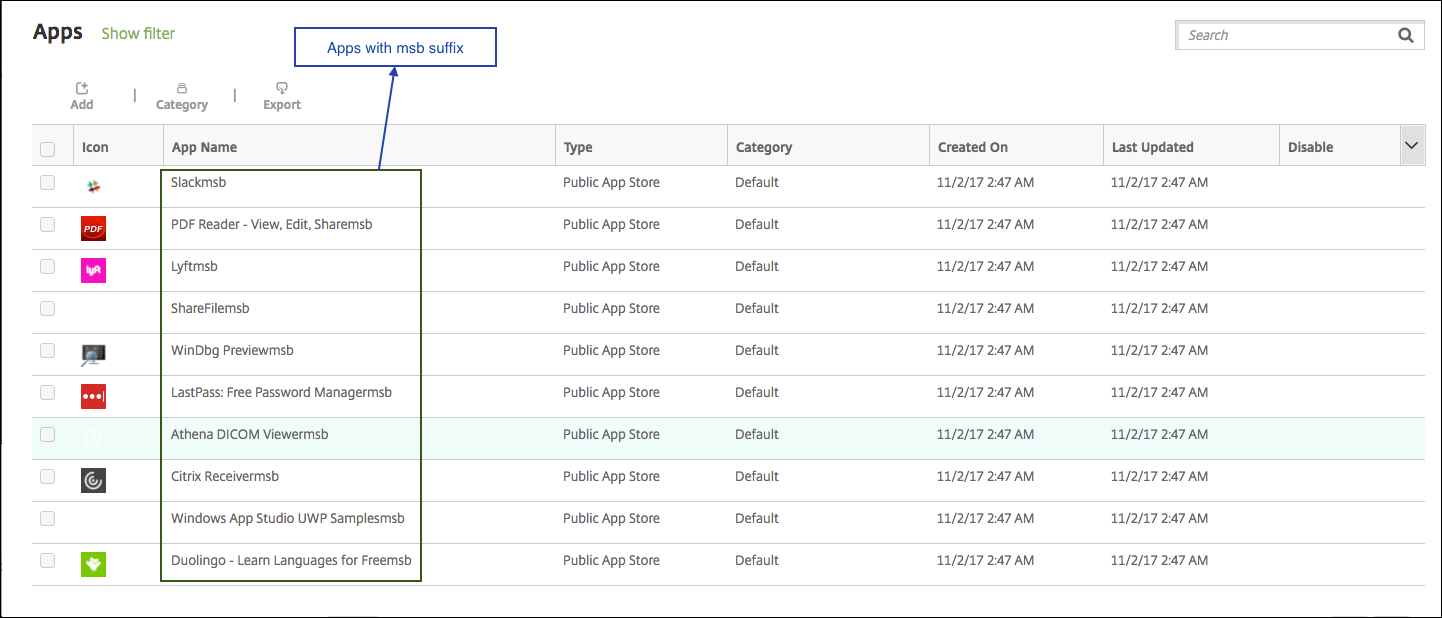
Microsoft Store for Business から同期されたアプリには、[設定] > [Microsoft Store for Business] ページで構成したサフィックスが付いています。
- これらのアプリをデリバリーグループに追加するには、[構成] > [デリバリーグループ] に移動し、グループを選択して [編集] をクリックし、[アプリ] をクリックします。アプリを [必須アプリ] リストに移動します。
- [構成] > [アプリ] に移動します。1 つ以上のアプリを選択し、[編集] をクリックして、[デリバリーグループの割り当て] をクリックします。
アプリのユーザーライセンスの取り消し
-
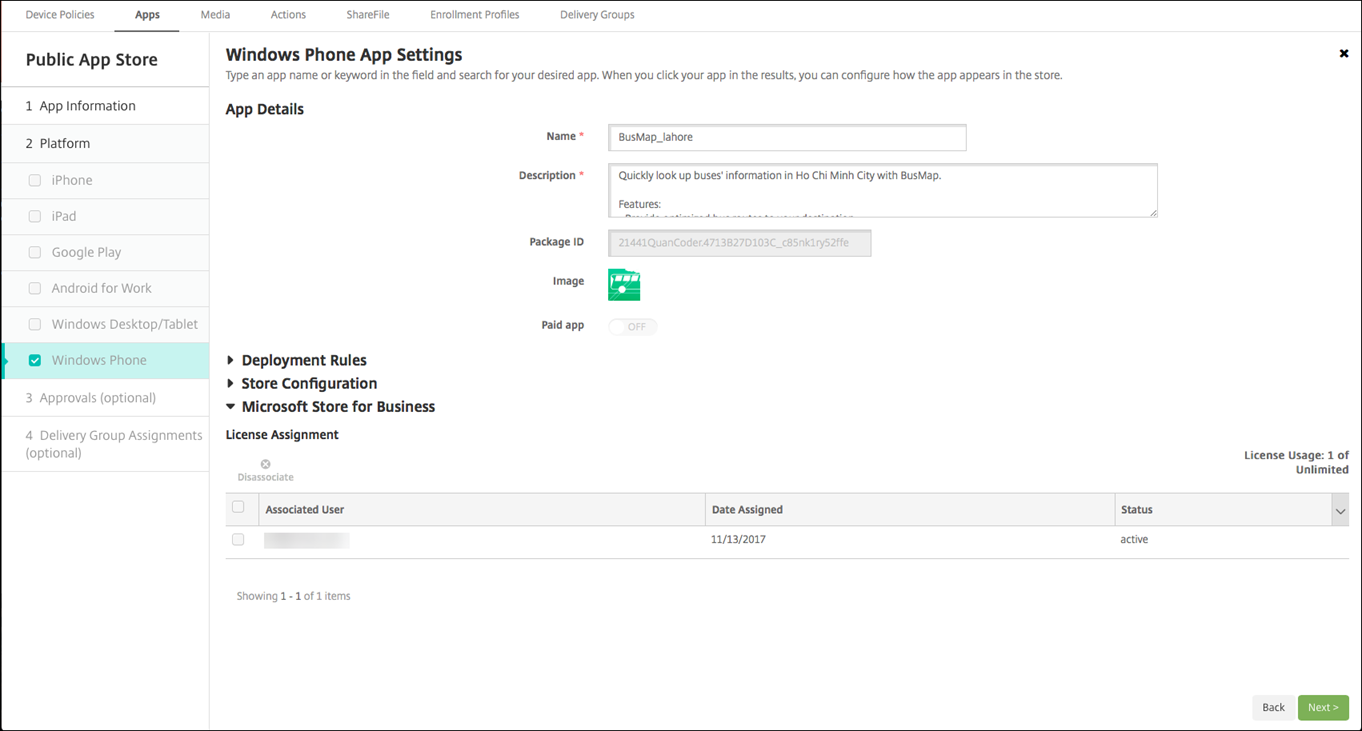
[構成] > [アプリ] に移動し、Store for Business アプリを選択して [編集] をクリックします。
-
[プラットフォーム] で、[Windows デスクトップ/タブレット] をクリックします。
-
下にスクロールして [Microsoft Store for Business] を展開します。
-
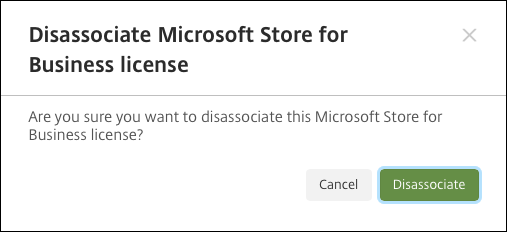
ユーザーを選択し、[関連付け解除] をクリックします。
共有
共有
This Preview product documentation is Citrix Confidential.
You agree to hold this documentation confidential pursuant to the terms of your Citrix Beta/Tech Preview Agreement.
The development, release and timing of any features or functionality described in the Preview documentation remains at our sole discretion and are subject to change without notice or consultation.
The documentation is for informational purposes only and is not a commitment, promise or legal obligation to deliver any material, code or functionality and should not be relied upon in making Citrix product purchase decisions.
If you do not agree, select I DO NOT AGREE to exit.